Can a DAT File Contain Video?
Yes, a DAT file can contain video. In some cases, the file may contain standard video data. In others, it may hold video clips inside a larger application-specific container.
One well-known example is Video CD, or VCD. Video CDs commonly store MPEG-1 video in files with names such as AVSEQ01.DAT. However, this does not mean every DAT file is a video file.
A DAT file can contain video data, but DAT is not one universal video format. You need to check where the file came from, inspect its contents, and identify whether it contains standard video, embedded media, or a proprietary binary structure.
Why Can Video Be Stored in a DAT File?
The DAT extension simply means that an application chose to store data under a .dat filename. That data can be text, database records, images, audio, video, game resources, or something completely different.
A developer may choose DAT because the file is meant to be used by the application rather than opened directly by the user.
Video may appear in DAT files when software wants to:
- Bundle media with other resources
- Store clips in an application-specific container
- Keep video data under a generic filename
- Cache downloaded or generated media
- Use a legacy disc or multimedia format
This is another reason the .dat extension does not tell you the full format. See What Does the .DAT File Extension Mean? for more detail.
Three Common Ways Video May Appear in a DAT File
Standard video data
The DAT file may contain a recognizable video stream that a compatible media player can decode.
Embedded video
A larger DAT container may hold one or more video clips alongside indexes, audio, images, or other resources.
Proprietary media
The video may use a private structure, compression method, or resource index understood only by the original application.
The Important Video CD DAT File Case
Some DAT files really are video files
Video CDs often contain files such as AVSEQ01.DAT inside an MPEGAV folder. These files contain MPEG-1 video data used for VCD playback.
If your DAT file came from an old Video CD, there is a strong chance that it contains playable video rather than generic application data.
This is one of the main reasons people associate DAT files with video.
However, a DAT file found inside a game folder, database program, backup directory, or random application should not automatically be treated as VCD video.
How to Check Whether Your DAT File Contains Video
Check where the file came from
If it came from a Video CD, multimedia application, camera software, media cache, or game, video becomes more likely.
Look at the filename
Names such as AVSEQ01.DAT, movie.dat, video.dat, or intro.dat can provide clues, although filenames alone are not proof.
Inspect readable strings
Search for media-related words such as MPEG, video, codec, movie, stream, frame, clip, or resolution information.
Check the binary data
A hex view can reveal signatures, stream markers, or readable metadata inside a binary DAT file.
Try the original application
If the file belongs to known software, that program may be the best way to play or export the video correctly.
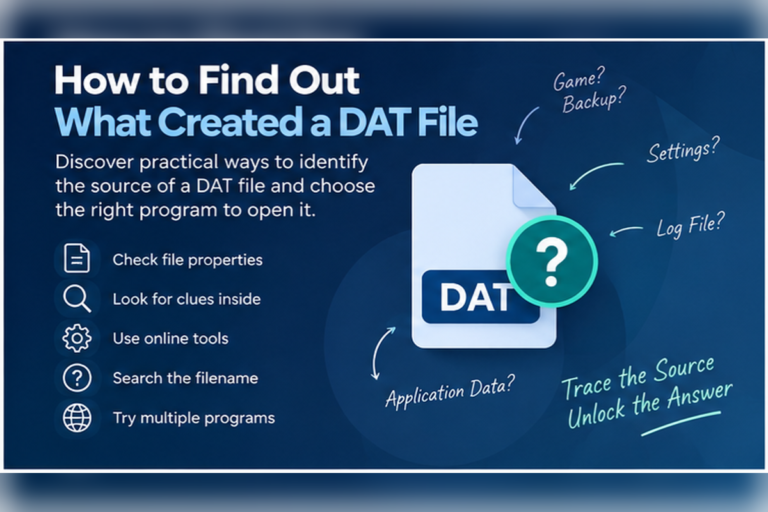
If you do not know the source of the file, start with How to Find Out What Created a DAT File.
What Does Video Data Look Like Inside a DAT File?
Video data is normally binary. If you open it in a text editor, you may see a few readable words surrounded by strange characters.
A hex view may look more like this:
00000000  00 00 01 BA 21 00 01 00  01 80 1B E0 00 00 01 BB
00000010  00 0C 80 04 E1 7F E0 E0  07 FF C0 C0 20 00 00 01
00000020  E0 07 EC 21 00 07 DD 6D  11 00 00 01 B3 16 01 20
A general DAT viewer can help you inspect the bytes, but it cannot automatically identify and decode every private video format.
Can Notepad Tell You Whether a DAT File Is Video?
Not reliably.
Notepad can help you find readable words inside the file, but video data is usually binary. Most of the file may appear as unreadable characters.
You might see strings such as:
MPEG
VIDEO_STREAM
movie_intro
720x480
frame_rate
audio_track
For general text inspection, see Can You Open a DAT File With Notepad?.
Can You Play a DAT File in a Media Player?
Sometimes.
If the DAT file contains a standard or supported video stream, a capable media player may be able to open it directly.
This is especially relevant for VCD DAT files that contain MPEG-1 video.
If the file uses a private container or stores several different resources, a media player may fail because it does not know where the video begins or how the DAT structure is organized.
Media player works
The DAT file contains a recognized video stream and the player supports the codec and container structure.
Media player fails
The DAT file may not contain video, or the video may be embedded, compressed, encrypted, or stored in a proprietary format.
Can You Rename DAT to MPG or MPEG?
Changing the extension does not convert the file.
For example:
AVSEQ01.DAT
renamed to:
AVSEQ01.MPG
still contains the same bytes.
In the special VCD case, a media program may recognize the MPEG data more easily after a filename change. That is because the video was already MPEG data. The rename did not perform the conversion.
DAT Is Not the Same as MP4
An MP4 file follows a defined multimedia container format. A generic DAT file does not.
That means software can make useful assumptions about an MP4 file. It cannot make the same assumptions about every DAT file.
| Feature | Generic DAT file | Standard video file |
|---|---|---|
| One defined format | No | Usually yes |
| Guaranteed to contain video | No | Yes, for normal video formats |
| Media player support | Depends on contents | Usually predictable |
| May contain unrelated application data | Yes | Usually no |
| May require original application | Yes | Less often |
Can a DAT File Contain Several Videos?
Yes.
A proprietary resource container may hold multiple clips inside one DAT file.
A simplified resource index could conceptually contain:
001 intro_video
002 tutorial_clip
003 ending_scene
004 credits_movie
005 background_loop
The application may use internal offsets and lengths to locate each clip.
In that case, opening the entire DAT file in a media player may not work because the file is a container, not one continuous video.
Can a DAT File Contain Both Video and Audio?
Yes.
Video content often includes audio as part of the same multimedia stream or container. A DAT resource file can also store separate audio and video resources.
For example, a game could keep a cutscene video, voice track, subtitles, and metadata inside one larger asset file.
This does not mean every DAT file with audio also contains video. The internal format still needs to be identified.
Can a DAT File Contain Video and Images Together?
Yes. Resource containers can hold several media types.
A single DAT file may include:
- Video clips
- Textures
- Icons
- Audio
- Subtitles
- Metadata
- Indexes
This is common in application-specific asset bundles.
If you are investigating graphics as well, read Can a DAT File Contain Images?.
Why a DAT File May Show Strange Characters Instead of Video
Opening video bytes as text does not produce a picture or moving image.
The text editor simply tries to map binary values to characters. The result may look random.
That does not mean the file is damaged.
If you are not sure whether the file is binary, see How to Tell Whether a DAT File Is Text or Binary.
Can a Web Browser Play Video From a DAT File?
Not automatically.
Browsers expect recognizable media formats and codecs. A generic DAT file gives the browser no reliable information about what the bytes represent.
A browser-based DAT viewer can still help inspect the file. You can search readable strings and examine binary bytes before deciding whether a media player is worth trying.
For more detail, read Can a Web Browser Open DAT Files?.
Can You Convert a DAT File to MP4?
Sometimes, but only after identifying the source format.
If the DAT file contains standard MPEG video, media conversion software may be able to decode it and create a new MP4 file.
If the DAT file is a proprietary resource container, conversion is more complicated. The video must first be located and decoded correctly.
If the DAT file contains no video at all, there is nothing meaningful to convert to MP4.
A real conversion process reads the source video and writes a valid new multimedia file. Simply changing the extension is not conversion.
What If the DAT File Came From a Video CD?
This is the easiest case to recognize.
Look for clues such as:
- An
MPEGAVfolder - Files named
AVSEQ01.DATor similar - The file coming directly from a Video CD
- A relatively large DAT file that behaves like video in a media player
Those clues strongly suggest VCD MPEG video.
If the file did not come from a Video CD, do not apply the VCD assumption automatically.
Which Tool Should You Try?
Can a General DAT Viewer Play the Video?
A general DAT viewer is mainly useful for inspection.
It can help you determine whether the file contains:
- Readable text
- Media-related labels
- Binary content
- Potential format clues
It cannot automatically play every proprietary video stream because it does not know every application’s internal media format.
Your DAT viewer includes text search and hex inspection, which makes it useful before you decide whether to try a media player or specialist software.
Not Sure Whether Your DAT File Contains Video?
Inspect readable strings, check whether the file is binary, and look for media-related clues before renaming or converting anything.
Inspect Your DAT FileFrequently Asked Questions
Can a DAT file be a video file?
Yes. Some DAT files contain video, including Video CD DAT files that store MPEG-1 video. Other DAT files may contain completely unrelated data.
Can I play a DAT file in a media player?
Sometimes. A compatible media player may open the file if it contains a supported video stream. Proprietary DAT containers may require the original application.
What is AVSEQ01.DAT?
It is a common filename used on Video CDs. Such files typically contain MPEG-1 video data for VCD playback.
Can I rename a DAT file to MPG?
Renaming does not convert the file. It may help software recognize a VCD file that already contains MPEG data, but it will not turn an unrelated DAT file into video.
Can a DAT file contain several video clips?
Yes. A proprietary DAT container can store several clips along with indexes, audio, images, and other resources.
Why does my video DAT file look like gibberish in Notepad?
Video data is binary. A text editor tries to display those bytes as characters, which often produces unreadable output.
Can I convert DAT video to MP4?
Yes, when the DAT file contains a video stream that conversion software can decode. You first need to identify the real source format.
A DAT File Can Contain Video, but Context Matters
DAT files can contain video, but the extension alone does not prove that a file is multimedia.
If the file came from a Video CD, video is a strong possibility. If it came from a game or another application, it may contain embedded clips inside a proprietary resource format. If the file is readable text or database-style rows, it probably serves another purpose.
Start with the file’s source. Inspect readable strings. Use hexadecimal view for binary content. Then try a media player or the original application when the evidence points to video.
If you already have the file, you can open your DAT file online to inspect text and hex data before deciding whether it is likely to contain playable video.