How to Tell Whether a DAT File Is Text or Binary
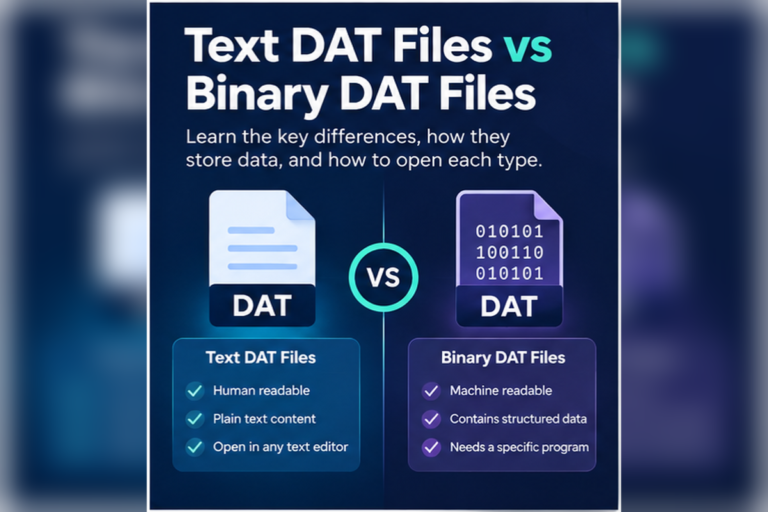
You can usually tell whether a DAT file is text or binary by inspecting its contents. If most of the file contains normal words, numbers, punctuation, and repeated lines, it is probably text. If most of it looks like random symbols or unreadable bytes, it is probably binary.
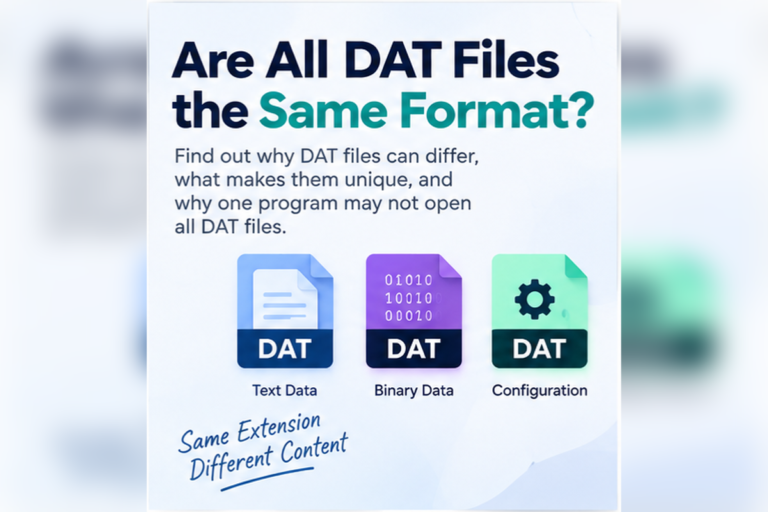
The .dat extension alone does not answer the question. DAT is a generic data-file extension, so different programs can store very different types of information inside it.
Open the file in a DAT viewer or text view. If most of the content is readable, it is likely text. If only a few words are readable and the rest looks unusual, switch to a hex view because the file is likely binary.
Text and Binary DAT Files Have Different Signs
- Normal words are easy to read
- Most characters are letters, numbers, and punctuation
- Lines have a clear structure
- You may see commas, tabs, pipes, or semicolons
- Search finds meaningful words
- The file resembles a log, settings file, or table
- Most content is not readable as normal text
- You see boxes, replacement symbols, or odd characters
- Only short words or filenames appear occasionally
- There is no obvious row structure
- A hex view shows a mix of byte values
- The file comes from software that uses a private format
These are useful signs, but they are not absolute rules. A binary DAT file can contain readable text strings, and a text DAT file can look strange if you open it with the wrong character encoding.
Step 1: Check Where the DAT File Came From
Before opening the file, look at its source. Context can tell you a lot.
A DAT file saved by a text-based export tool may contain readable records. A file stored inside a game’s installation folder is more likely to contain binary resources or application-specific data. A file called settings.dat may contain text, while assets.dat may hold binary data.
The source does not prove whether the file is text or binary, but it gives you a useful starting point.
If you are dealing with a completely unfamiliar file, follow the checks in our guide to opening an unknown DAT file safely.
Step 2: Open the DAT File in a Text View
The simplest test is to look at the file as text.
Look at the first few lines
If you immediately see meaningful words, labels, numbers, or values, the file is likely text.
Scroll further into the file
Do not judge the file from one readable line. Check whether most of the content remains readable.
Look for repeated structure
Rows, separators, settings, labels, and predictable line patterns are strong signs of text data.
A text DAT file may look like this:
language=en
theme=dark
autosave=true
backup_interval=30
show_tips=false
Step 3: Look for Table-Like Data
Many text DAT files contain structured records rather than simple settings.
For example:
sku|product|stock|price
A101|Keyboard|28|29.95
A102|Mouse|54|18.50
A103|Monitor|11|189.00
Common delimiters include:
- Commas
- Tabs
- Semicolons
- Pipe characters
If you see a consistent delimiter on many lines, the DAT file is probably structured text. A spreadsheet or table viewer may be useful.
Our DAT File Viewer can detect common CSV, tab, semicolon, and pipe-separated content and display suitable files in a table view.
Step 4: Watch for Strange Characters
If the text view shows a large amount of unreadable content, the file may be binary.
You might see:
�R��2��DAT���9Q��REC��A�1��
That often happens because a text viewer is trying to treat binary byte values as characters.
This distinction matters. A perfectly healthy application DAT file may look broken when opened with the wrong type of viewer.
For a deeper explanation, read Text DAT Files vs Binary DAT Files.
Step 5: Switch to Hexadecimal View
A hex view is one of the best ways to inspect suspected binary data.
Hexadecimal view shows every byte using values from 00 to FF. It does not try to turn the whole file into normal text.
00000000  44 41 54 01 00 20 00 00  A7 31 FF 42 10 00 01 B8
00000010  10 00 28 9A 82 11 04 00  52 45 43 4F 52 44 00 08
00000020  91 02 B4 3F 00 00 00 1C  22 18 04 A1 09 00 7F 31
You may still notice readable strings such as RECORD. That does not make the whole file text. Binary formats often include embedded text labels alongside numeric and structural data.
Step 6: Check How Much of the File Is Readable
One of the most useful tests is the proportion of readable content.
| What you see | Likely type | What to try next |
|---|---|---|
| Almost everything is readable | Text | Use text or table view |
| Readable rows with regular separators | Structured text | Try table view or spreadsheet import |
| A few readable words mixed with lots of odd data | Probably binary | Use hex view |
| Almost nothing is readable | Likely binary | Check in hex or use the original application |
| Readable text appears garbled in places | Could be text with another encoding | Try a different text encoding |
Step 7: Consider Character Encoding
Not every strange-looking file is binary.
Text files can use different encodings such as UTF-8, UTF-16, or older character sets. If a text editor uses the wrong encoding, readable text may appear distorted or include unexpected symbols.
This is why you should not classify a file as binary after seeing only one unusual line.
Step 8: Search for Meaningful Words
Search can help identify the file type.
Try searching for:
- Names
- Dates
- URLs
- File paths
- Configuration labels
- Record headings
- Known product or application names
If the file is text, search results should often appear in a meaningful context.
If a binary file contains embedded strings, you may find a few isolated matches. The content around them may still be binary.
Three Fast Checks That Work Well Together
Readability
Can you understand most of the content without decoding anything?
Structure
Do lines repeat in a clear pattern with fields, labels, or separators?
Hex pattern
Does hexadecimal view show a mixture of bytes with only occasional text strings?
If readability and structure are both strong, the file is probably text. If readability is low and hex inspection looks more useful, the file is probably binary.
Can a DAT File Be Part Text and Part Binary?
Yes. Many binary files contain readable text strings.
A game resource file might store binary image data but include names such as:
player_texture_01
menu_background
level_05
sound_effect_hit
These strings may help identify the purpose of the file, but the surrounding data can still be binary.
This is why counting a few readable words is not enough. Look at the whole file.
Does a File With No Readable Text Have to Be Binary?
Usually, but there are exceptions.
The file could also contain compressed or encrypted data. Both often appear unreadable in a text view.
Compression and encryption are different from ordinary binary storage, but all three can produce content that looks meaningless when treated as text.
You usually need more context or software-specific knowledge to tell them apart.
Does Binary Mean the DAT File Is Damaged?
No.
Binary data is normal. Many applications use binary formats because they can be compact, fast to load, and designed around the application’s needs.
A file is more likely to be corrupted if there are other signs, such as:
- The original application refuses to open it when it normally should
- The file is unexpectedly zero bytes
- A transfer or download was interrupted
- The file size is very different from similar files
- The application reports a checksum or format error
Unreadable characters by themselves are not enough to prove corruption.
Can Notepad Tell You Whether a DAT File Is Text?
Notepad can give you a quick clue, but it is not a perfect test.
If the file opens and most content is readable, it is probably text. If the file looks unreadable, it may be binary or it may use a different encoding.
For unknown files, a viewer that can switch between text and hex is more useful because you can compare both representations without changing the file.
Can Excel Help Identify a Text DAT File?
Yes, when the file contains structured text.
If you can see regular rows separated by commas, tabs, semicolons, or pipes, the data may work well in Excel or another spreadsheet application.
Excel is not useful for identifying arbitrary binary DAT files. If the content is binary, use a hex view or the original application instead.
Use This Quick Decision Guide
Why Identifying the Type Matters
Knowing whether the DAT file is text or binary helps you choose the right tool.
Text files may work well in a text editor, table viewer, or spreadsheet application. Binary files are better inspected in hexadecimal or opened with the software that created them.
This also prevents common mistakes. You are less likely to assume a binary file is corrupted, and you are less likely to try importing unreadable binary data into a spreadsheet.
If you want more background on why DAT files vary so much, read What Is a DAT File? and Are All DAT Files the Same Format?.
Check Whether Your DAT File Is Text or Binary
Open the file in your browser, inspect readable text, check for table-style data, search the contents, and switch to hexadecimal when the file looks binary.
Open DAT File ViewerFrequently Asked Questions
What is the easiest way to tell if a DAT file is text or binary?
Open it in a text view. If most of the content is readable, it is probably text. If most content is unreadable and a hex view is more useful, it is probably binary.
Can a binary DAT file contain readable words?
Yes. Binary files often contain embedded strings such as filenames, labels, paths, or record names. A few readable words do not make the whole file text.
Do strange characters mean my DAT file is corrupted?
No. Strange characters often appear when binary data is opened as text. The file may be completely valid.
Can a text DAT file use commas or tabs?
Yes. Many text DAT files use delimiters such as commas, tabs, semicolons, or pipes to separate fields.
Can the wrong encoding make a text DAT file look binary?
It can make readable text look distorted or partly unreadable. If you see many recognizable words with some bad characters, check the encoding before assuming the file is binary.
What should I use to inspect a binary DAT file?
Use a hex viewer or a DAT viewer with hexadecimal support. If the file belongs to a known application, that software may be required to interpret the data correctly.
Can I convert a binary DAT file to text by renaming it?
No. Renaming .dat to .txt only changes the filename. It does not convert the underlying binary data into readable text.
The Best Test Is to Inspect More Than One View
The quickest way to classify a DAT file is to compare what you see in text and hexadecimal views.
If the file is mostly readable and follows a clear line structure, it is probably text. If most content is unreadable and only small strings appear among raw bytes, it is probably binary.
Do not rely on the extension alone, and do not assume unreadable text means corruption. DAT files can use many different internal formats.
If you want a broader comparison, read Text DAT Files vs Binary DAT Files. If you already have a file to inspect, you can open your DAT file online and compare its text, table, and hex views.