Can a DAT File Contain Images?
Yes, a DAT file can contain images, but that does not make DAT an image format. A program can store image bytes, image resources, thumbnails, textures, or references to images inside a DAT file.
The important question is how the image data is stored. Some DAT files may contain a complete JPEG, PNG, BMP, or another image format inside a larger container. Others may store raw pixel data or use a proprietary structure that only the original application understands.
A DAT file can contain image data. However, you usually cannot know that from the .dat extension alone. You need to inspect the file contents, look for image signatures or readable resource names, and consider which application created the file.
Why Would a Program Store Images in a DAT File?
Applications do not have to store every image as a separate JPG or PNG file.
A developer may choose to bundle many resources into one DAT file. This can make the application’s folder easier to manage and allow the program to load related assets from one location.
Games are a common example. A DAT file might contain textures, icons, menu graphics, maps, sound data, and indexes that tell the game where each resource is stored.
Other software may use DAT files for thumbnails, cached images, scanned records, document previews, or user-interface graphics.
This is possible because DAT is a generic extension rather than one fixed file specification. For more background, read What Does the .DAT File Extension Mean?.
Three Ways Images May Be Stored Inside a DAT File
Complete image files
The DAT container may include full JPEG, PNG, BMP, or other image files inside it.
Raw image data
The application may store pixels directly without using a normal standalone image-file structure.
Proprietary resources
The image may be compressed, transformed, indexed, or packed using a private format understood only by the software.
How Can You Tell Whether a DAT File Contains Images?
There is no single test that works for every DAT file. Use several clues together.
Check where the file came from. A DAT file inside a game, graphics program, camera application, or image cache has a stronger chance of containing visual resources.
Search for image-related filenames. Strings such as texture.png, icon.jpg, thumbnail, or background can be useful clues.
Inspect the file in hexadecimal. Known image signatures may appear inside the bytes.
Look at the file size. A large DAT file used by media-heavy software may contain many resources, although size alone proves nothing.
Identify the creating program. Documentation or knowledge of the source application may tell you how its DAT resources are organized.
If you do not know where the file came from, see How to Find Out What Created a DAT File.
Image Signatures Can Provide Useful Clues
Many common image formats begin with recognizable byte patterns called file signatures or magic bytes.
For example, hexadecimal inspection may reveal bytes associated with familiar image formats.
If one of these signatures appears at the start of the DAT file, the file may actually contain an image using a misleading or application-specific extension.
If the signature appears somewhere deeper inside the file, it may indicate an embedded image rather than a DAT file that is entirely one image.
What an Embedded Image Might Look Like in Hex
Suppose a hex view contains a sequence like this:
000001F0  20 00 00 00 12 A4 09 00  89 50 4E 47 0D 0A 1A 0A
00000200  00 00 00 0D 49 48 44 52  00 00 02 00 00 00 01 00
00000210  08 06 00 00 00 7A 44 43  1A 00 00 00 09 70 48 59
89 50 4E 47 is a strong clue that PNG data begins at that position.This does not automatically tell you where the PNG ends or how the DAT container references it. It only gives you a useful starting point.
Can a DAT File Be a Renamed Image?
Sometimes a file with a DAT extension may actually contain a normal image format internally.
For example, software could save JPEG bytes in a file named:
preview.dat
If the bytes begin with a valid JPEG signature and the rest of the structure is a normal JPEG file, then the content may effectively be a JPEG despite the DAT extension.
However, you should not assume this for every DAT file.
Changing images.dat to images.jpg will not work if the file contains ten images, indexes, and other application data.
Can a DAT File Contain More Than One Image?
Yes.
A resource container can hold many visual assets in one file.
For example, a game DAT file might logically contain:
RESOURCE TABLE
01  menu_background
02  player_texture
03  map_icon
04  health_bar
05  inventory_slot
06  loading_screen
The application may keep an index that records where each resource starts, how large it is, whether it is compressed, and how it should be decoded.
Without that index format, extracting the correct images can be difficult.
Text DAT Files Usually Do Not Contain Raw Images
If a DAT file is fully readable as ordinary text, it is less likely to contain large raw image data directly.
However, a text DAT file may contain references to image files.
For example:
background=assets/background.png
logo=assets/logo.png
button_icon=assets/button_save.png
profile_default=assets/avatar.jpg
This distinction is important. Seeing an image filename inside a DAT file does not prove the image bytes are embedded there.
Image References vs Embedded Images
| What you find | What it may mean | Next step |
|---|---|---|
logo.png as readable text |
The DAT may reference an external image | Check nearby folders for that file |
| PNG or JPEG signature in hex | Image bytes may be embedded | Inspect the surrounding structure |
| Mostly binary data with texture names | Possible game or application resource container | Identify the original software |
| Readable settings only | Probably image references rather than embedded image bytes | Look for external asset paths |
Can a Browser Display Images Stored Inside a DAT File?
Not automatically.
A browser can display normal image formats when it knows where the image bytes start and how they are encoded. A generic DAT file does not provide one standard rule for finding those bytes.
A browser-based DAT viewer can still help you inspect the file in text and hex views. That may reveal image signatures or resource names.
See Can a Web Browser Open DAT Files? for the difference between normal browser behavior and a browser-based DAT viewer.
Can a DAT Viewer Show the Actual Image?
A general DAT viewer can inspect the file, but it cannot reliably render every possible embedded image.
To display an image correctly, the viewer must know:
- Where the image begins
- Where it ends
- Which image format is used
- Whether the data is compressed
- Whether the image uses a custom pixel layout
- Whether color information is stored separately
If the DAT file simply contains a complete standard PNG or JPEG, extraction may be possible. If the format is proprietary, a general viewer may only expose useful clues.
Why Games Often Store Images in DAT Files
Games commonly bundle resources for practical reasons.
Instead of shipping thousands of loose files, developers may group textures, interface elements, maps, animation frames, and other assets into larger archives or DAT containers.
The game then uses its own index to locate each asset.
This approach can reduce folder clutter, support internal compression, and give the application control over resource loading.
It also means that opening the DAT file in a normal image viewer usually will not work.
Can a DAT File Store Thumbnails?
Yes.
Photo software, document-management tools, media libraries, and other applications may store cached thumbnails in database or DAT-style files.
These thumbnails might be:
- Complete JPEG or PNG images
- Compressed application-specific previews
- Raw pixel blocks
- Records linked to other metadata
The original application may be the easiest way to view them correctly.
How to Inspect a DAT File for Image Data
A practical inspection workflow looks like this:
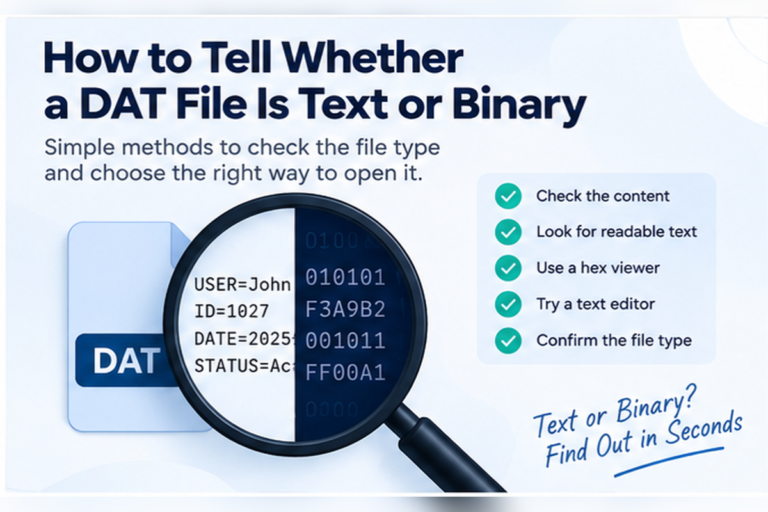
If you first need to determine whether the DAT file is binary, read How to Tell Whether a DAT File Is Text or Binary.
Can You Extract Images From a DAT File?
Sometimes, but the method depends on the internal structure.
Extraction is easiest when a complete standard image is embedded as one continuous block. In that case, a format-aware tool may be able to identify the image boundaries.
Extraction becomes harder when:
- Images are compressed
- Pixels are stored in a custom format
- Color palettes are stored separately
- The file uses internal indexes
- Image chunks are split into multiple sections
- The container includes encryption or obfuscation
In these cases, you usually need software that understands the source application’s DAT format.
Can You Convert a DAT File to JPG or PNG?
Not as a universal operation.
If the DAT file is really one standard image saved with a DAT extension, it may be possible to recover that image.
If the DAT file is a container holding many images and other data, there is no single JPG or PNG output that represents the whole file.
If the file stores raw image data, conversion requires knowing the image dimensions, pixel format, color depth, and other details.
That is why “DAT to JPG” is not one fixed conversion process.
Can Excel or Notepad Show Images Inside a DAT File?
Not in a useful general way.
Notepad may reveal image filenames or readable labels, but it cannot render raw binary image data as a picture.
Excel is designed for spreadsheet data. It is useful when a DAT file contains rows and columns, not when the file is a binary image container.
If you want to compare those tools, see Can You Open a DAT File With Notepad? and Can You Open a DAT File With Excel?.
Do Strange Characters Mean the DAT Contains an Image?
No.
Strange characters only tell you that the file may contain binary data or text using an unexpected encoding.
Binary data could represent images, audio, database records, game data, compressed resources, or many other things.
What Is the Best Tool to Check?
| Goal | Best starting tool | Why |
|---|---|---|
| Find image filenames | Text or DAT viewer | Search readable strings |
| Find embedded image signatures | Hex viewer | Inspect raw byte patterns |
| Understand proprietary game assets | Original or format-specific software | Understands indexes and compression |
| Inspect an unknown DAT file | General DAT viewer | Compare text and hex views first |
Start With Inspection, Not Renaming
If you suspect your DAT file contains images, do not begin by renaming it to JPG or PNG.
First inspect the contents. Look for readable resource names, image extensions, known signatures, and clues about the original application.
A general viewer can help you determine whether the file is readable text or binary before you look for image-specific evidence.
Want to Check a DAT File for Image Clues?
Inspect readable strings, search for image filenames, and switch to hexadecimal view to look for binary signatures before choosing an extraction tool.
View Your DAT FileFrequently Asked Questions
Can a DAT file contain a JPEG image?
Yes. A DAT file can contain complete JPEG data, but it can also contain many other kinds of information. You need to inspect the bytes to confirm it.
Can a DAT file contain PNG images?
Yes. PNG data can be embedded inside a DAT container. A PNG signature in hex can provide a useful clue.
Can one DAT file contain multiple images?
Yes. Games and other applications can store many textures, icons, thumbnails, or other resources inside one DAT file.
Can I rename a DAT file to JPG?
Renaming does not convert the data. It only works in the unusual case where the file already contains a complete compatible image and only the extension is different.
How do I know if an image is embedded in a DAT file?
Look for image signatures in hex, readable filenames, texture names, image paths, and clues from the program that created the file.
Why can I see image filenames but not the images?
The DAT file may only contain references to external images, or it may store the image bytes in a proprietary structure that your current viewer cannot render.
Can a general DAT viewer display every image stored inside a DAT file?
No. A general viewer can inspect text and binary data, but proprietary image containers may require software that understands the exact resource format.
A DAT File Can Hold Images, but the Extension Does Not Tell You How
A DAT file can contain one image, many images, image references, thumbnails, raw pixels, or proprietary graphics data.
The extension alone does not reveal which case you have.
Start with the source of the file. Search readable text for image names and paths. Use hex view to look for known image signatures. If the file belongs to a game or specialist application, the original software may be needed to decode and extract the graphics correctly.
If you already have the file, you can inspect your DAT file online to compare text and hex views before deciding what tool to use next.