Can a Web Browser Open DAT Files?
A web browser can sometimes display a DAT file, but a browser does not automatically understand every DAT format. Whether you can view the file depends on what is stored inside it and whether you are using the browser by itself or a browser-based DAT viewer.
A plain-text DAT file may be readable in a browser. A binary DAT file may show unreadable characters or trigger a download instead. A web-based DAT viewer can do more because JavaScript can read the selected file and present the contents as text, table data, or hexadecimal bytes.
Yes, a browser can be used to open and inspect DAT files, but not because browsers support one universal DAT format. A browser-based viewer can process the file and choose a useful way to display its contents.
A Browser and a Browser-Based DAT Viewer Are Not the Same Thing
Browser by itself
May display readable text, download the file, or show content poorly. It does not know the structure of every possible DAT file.
DAT viewer in the browser
Can use client-side code to inspect the selected file, detect text or table-like data, provide search, and show binary bytes in hex.
This distinction matters because .dat is only a generic data-file extension. As explained in What Is a DAT File?, different applications can store completely different data under the same extension.
What Happens If You Open a DAT File Directly in a Browser?
The result can vary.
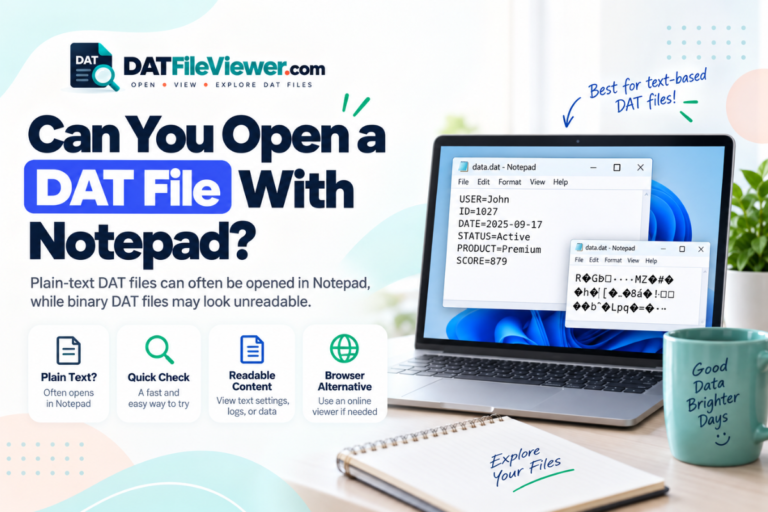
A browser may display the file as text if the content is readable and the browser decides it can render it. In other cases, the browser may download the file instead of displaying it. Binary content may also appear as meaningless characters if it is treated as text.
For example, a simple DAT file might contain:
language=en
theme=dark
autosave=true
refresh_interval=30
notifications=yes
A different DAT file could contain raw application data and behave very differently.
Why Browsers Do Not Have a Universal DAT Mode
Browsers understand many defined web and media formats, but DAT is not one specific format.
A DAT file can contain:
- Plain text
- Application settings
- CSV-style rows
- Tab-separated values
- Binary database records
- Game resources
- Cache information
- Images or media-related data
- Proprietary application structures
A browser cannot look at the letters .dat and know which of these structures is inside.
This is also why DAT files are not all the same format.
What Can a Browser-Based DAT Viewer Do?
Show readable content
Text-based DAT files can be displayed in a readable view without treating every file as a spreadsheet or database.
Detect structured rows
Delimited data can be presented as rows and columns when commas, tabs, semicolons, or pipes are detected.
Inspect binary bytes
Binary files can be shown in hexadecimal so you can inspect raw data without forcing it into normal text.
Find useful strings
Search can help locate names, paths, labels, URLs, or other readable clues inside compatible DAT files.
These features are provided by the web application running inside the browser. They are not built into the DAT extension itself.
How Browser-Based DAT Viewing Works
A modern browser can give a web page access to a file that you deliberately select from your device. Client-side JavaScript can then read that selected file and process its contents.
You select the DAT file
The file is chosen through a file picker or drag-and-drop area on the page.
The web application reads the file
Browser APIs allow the site’s JavaScript to inspect the file you selected.
The viewer examines the contents
It can check for readable text, common delimiters, and binary data.
The browser renders a useful view
You may see text, a table, or hexadecimal bytes depending on the contents.
You can search or export suitable data
A viewer may also provide search and export options for the content it can interpret.
Can a Browser Open a Text DAT File?
Yes. Text DAT files are the easiest type to view in a browser.
A file containing structured text might look like this:
id|name|country|status
1001|Aisha|Pakistan|Active
1002|Daniel|Canada|Active
1003|Sofia|Spain|Inactive
If the DAT file contains this kind of structure, you may also be able to export suitable data to CSV and continue working in Excel or Google Sheets.
See Can You Open a DAT File With Excel? and Can You Open DAT Files With Google Sheets? for those workflows.
Can a Browser Open a Binary DAT File?
A browser can read the selected bytes, but the data may not make sense as ordinary text.
A binary DAT file might be better represented like this:
00000000  44 41 54 01 00 20 00 00  7A 18 FF 32 00 00 01 A4
00000010  10 00 2B 8F 90 11 04 00  52 45 43 4F 52 44 00 08
00000020  91 02 A7 3F 00 00 00 1C  22 18 04 B1 09 00 7F 31
A general web viewer may show these bytes, but it cannot automatically know what every field means in a proprietary format.
If you are not sure which type you have, read How to Tell Whether a DAT File Is Text or Binary.
Which DAT Files Work Well in a Browser?
| DAT file type | Browser useful? | Best view |
|---|---|---|
| Plain-text DAT file | Yes | Text view |
| CSV-style DAT file | Yes | Text or table view |
| Tab, semicolon, or pipe-separated data | Yes | Table view when detected |
| Binary DAT file | Useful for inspection | Hex view |
| Proprietary application DAT | Limited | Original application may be required |
| Large unknown DAT file | Potentially | Preview with file-size protection |
Can Chrome Open DAT Files?
Chrome can participate in opening a DAT file through a web application, but Chrome does not include a universal built-in DAT decoder.
If you drag a DAT file directly into a browser tab, the result may depend on the file contents and how the browser handles that local file. It may display readable content, show confusing output, or download the file.
Using a dedicated browser-based DAT viewer gives you a more predictable interface because the viewer is specifically designed to inspect the selected data.
What About Edge, Firefox, and Safari?
The same general rule applies.
Modern browsers can run web applications that read files selected by the user. The exact interface and some file-handling behavior can vary, but the browser itself still does not gain knowledge of every possible DAT format.
The important part is the web application’s processing logic.
Do Browser-Based DAT Viewers Upload Your File?
It depends on how the site is built.
Some online tools send files to a server for processing. Others perform the work locally inside the browser.
Client-side processing
The selected file is read and processed by code running in the browser. A server upload is not required for the viewing operation.
Server-side processing
The file is sent to a remote server, where the service processes it and returns the result.
Your DAT File Viewer uses the first approach. The selected DAT file is processed in the visitor’s browser and does not use a WordPress upload endpoint for the selected file.
This can be useful when the goal is simply to inspect text, structured data, or a binary preview without first sending the selected file through a site upload handler.
Can a Browser Edit a DAT File?
A web application can technically provide editing features, but viewing and editing are very different tasks.
Editing an unknown DAT file can damage the structure expected by the original application. This is especially risky with binary and proprietary formats.
If you do not understand the format, inspect the file without changing it.
For readable text, a text editor may be more appropriate if you actually need to make changes. See Can You Open a DAT File With Notepad? for more detail.
Can You Convert a DAT File in a Browser?
Sometimes.
If the DAT file contains readable text, you may be able to export that text as TXT. If it contains compatible rows and columns, you may be able to export the structured data as CSV.
That does not mean every DAT file can be universally converted.
A proprietary binary file needs to be decoded before meaningful records can be exported. A browser-based viewer cannot invent the undocumented structure of a private application format.
Can You Rename DAT to TXT and Open It in a Browser?
Renaming is unnecessary for inspection and does not convert the file.
Changing:
records.dat
to:
records.txt
changes only the filename extension. The bytes inside remain the same.
If the file was already text, it may still display as text. If it was binary, it remains binary.
What About Very Large DAT Files?
Large files can put more pressure on browser memory and rendering.
A well-designed browser viewer should avoid trying to display unlimited content at once. Preview limits and large-file protection can help keep the page responsive.
Your DAT viewer includes large-file protection, text preview limits, and binary or hex preview. This makes browser inspection more practical for files that would be inconvenient to render in full.
When Should You Use the Original Application Instead?
A browser is good for inspection, but not every DAT file can be fully understood outside the software that created it.
Use the original application when:
- The DAT file belongs to a game or specialist program
- You need to edit the data safely
- The file is a proprietary database
- The viewer shows binary content with no clear structure
- The original software is needed to export records properly
If you do not know the source, see How to Find Out What Created a DAT File.
Browser, Text Editor, Spreadsheet, or Original App?
Can You Open a DAT File Without Installing Software?
Yes, and this is one of the main reasons a browser-based viewer is useful.
You can inspect a DAT file without installing a desktop application first. This is especially helpful when you only need to determine whether the file contains readable text, table-like records, or binary data.
See our full guide on how to open a DAT file without installing software for more detail.
Want to Open a DAT File in Your Browser?
Inspect text, detect table-style data, search the visible contents, switch to hexadecimal, and export suitable data without installing a separate desktop viewer.
Open DAT File ViewerFrequently Asked Questions
Can I open a DAT file in Chrome?
Chrome can be used with a browser-based DAT viewer. Opening a DAT file directly in a tab may produce different results depending on the contents and how Chrome handles the local file.
Can Firefox open DAT files?
Firefox can run web applications that inspect selected DAT files. Like other browsers, it does not contain one universal decoder for every DAT format.
Can Safari open DAT files?
Safari can also run browser-based tools that work with files selected by the user. The web application, not the DAT extension itself, determines how the contents are interpreted.
Can a browser show binary DAT files?
Yes, when a web application reads the bytes and presents them in a useful format such as hexadecimal. Binary content usually should not be treated as ordinary text.
Do I need to upload a DAT file to view it online?
Not always. Some tools process files locally in the browser, while others upload files to a server. Check how the specific viewer works.
Can I open a DAT file online without installing anything?
Yes. A browser-based DAT viewer can inspect compatible files without requiring a separate desktop application.
Why does my DAT file look like gibberish in the browser?
The file may contain binary data or use an unexpected text encoding. Unreadable characters alone do not prove that the file is corrupted.
A Browser Is Useful for Inspection, Not Universal Decoding
A web browser can be a practical way to inspect DAT files, especially when a dedicated web application handles the file locally.
Text DAT files can often be displayed directly. Structured data can be shown as tables when the delimiters are recognized. Binary files can be inspected in hexadecimal. Proprietary files may still require the software that created them.
The key is to avoid treating DAT as one standard format. The extension tells you very little about the internal structure on its own.
If you already have a file and want to see what it contains, you can open your DAT file online and inspect it before deciding whether you need a text editor, spreadsheet, hex viewer, or the original application.