How to Open a DAT File on Windows 11
Windows 11 GuideDAT FilesBeginner Friendly
A DAT file can be confusing because the .dat extension does not tell you exactly what is inside the file. One DAT file may contain plain text, while another may store database records, video data, game files, settings, or binary information that only one program can read.
Windows 11 does not have one built-in app that can correctly open every DAT file. The right method depends on where the file came from and what type of data it contains.
This guide explains how to open a DAT file on Windows 11, how to identify the file type, which programs are worth trying, and what to do if the file will not open.
In this guide
- What is a DAT file?
- Check where the DAT file came from
- Open a DAT file with Notepad
- Use Notepad++
- Open a DAT file with Excel
- Use a DAT file viewer
- Use the program that created the file
- Try VLC for video DAT files
- Change the default app
- Should you rename a DAT file?
- How to identify a binary DAT file
- Why a DAT file may not open
- Frequently asked questions
What Is a DAT File?
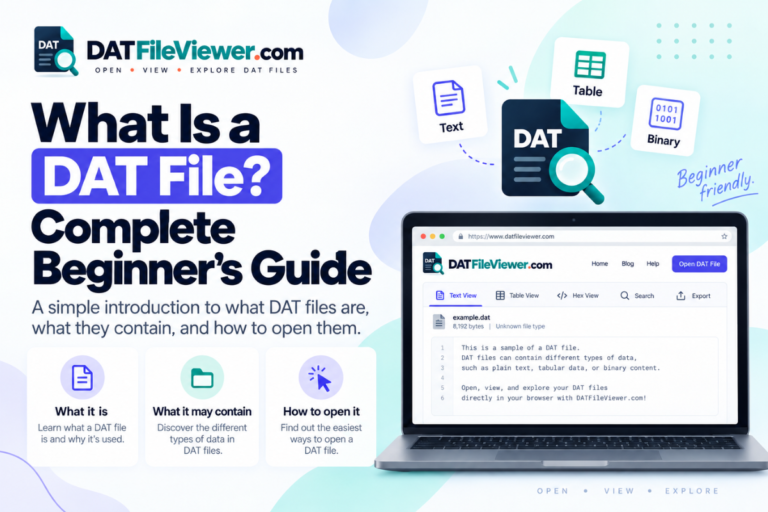
DAT stands for data. A file with the .dat extension is a general data file used by many different programs.
The important point is that DAT is not one standard format. A PDF file normally contains a document. A JPG file normally contains an image. A DAT file can contain almost anything.
A DAT file may contain application settings, plain text, database records, game data, cached information, video content, log entries, or binary data that belongs to a specific program.
Key point:
The .dat extension tells you that the file stores data. It does not tell you what kind of data is inside.
That is why Windows 11 may ask you which app you want to use when you double-click a DAT file.
First, Check Where the DAT File Came From
Before trying random programs, find out where the file came from. This is often the fastest way to choose the correct software.
If the DAT file came from a specific application, try that application first. A DAT file stored inside a game folder may belong to that game. A DAT file created by accounting software may contain records that only that software understands.
If someone sent you the file by email, the situation may be different. For example, a file named winmail.dat is commonly related to email formatting and attachments. It is not the same thing as a normal text DAT file.
Do not edit an unknown DAT file right away.
If the file belongs to a program, changing even a small part of it may stop the program from using the file correctly. Make a copy first.
Method 1: Open the DAT File With Notepad
Notepad is the easiest place to start when you think the file contains readable text.
- Right-click the DAT file in File Explorer.
- Select Open with.
- Choose Notepad.
- If Notepad is not listed, click Choose another app.
- Open the file and inspect the first few lines.
A readable DAT file may look like this:
UserID=1024
Name=John Smith
Status=Active
LastLogin=2026-09-10
If you can read normal words, numbers, dates, or settings, the file is probably text-based.
If you see random symbols, squares, unusual characters, or unreadable text, the file may be binary, compressed, encrypted, or encoded in another format.
In that case, close the file without saving changes and try another method.
Method 2: Use Notepad++ for Larger DAT Files
Windows Notepad works well for small files, but Notepad++ is often easier to use with larger files or structured text.
It gives you better search tools, line numbers, clearer formatting, and more control over text encoding.
Notepad++ is especially useful if the DAT file contains logs, settings, configuration data, or rows of text.
For example, you may see:
1001,John,London,Active
1002,Sarah,Manchester,Active
1003,David,Birmingham,Inactive
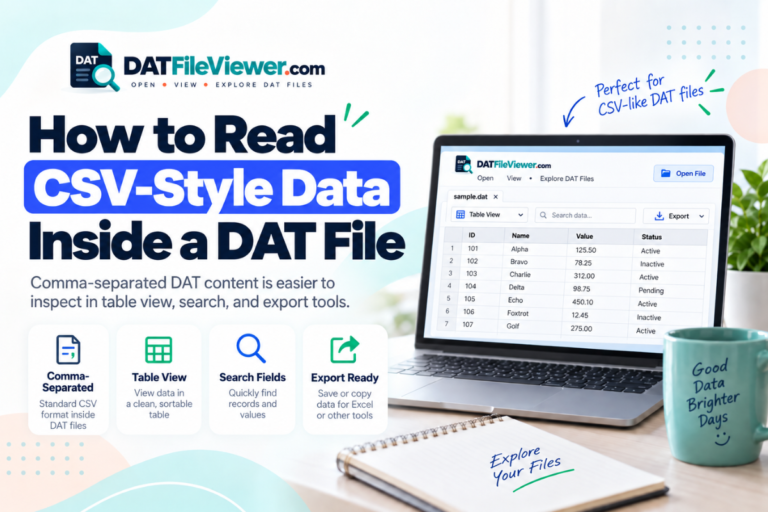
This is a strong sign that the DAT file contains table-style data. In that case, Excel may be a better choice.
Method 3: Open a DAT File With Excel
Some DAT files store information as rows and columns. These files may use commas, tabs, semicolons, or another character to separate fields.
Microsoft Excel can often open this type of DAT file.
- Open Microsoft Excel.
- Choose File and then Open.
- Browse to the folder that contains your DAT file.
- If you cannot see it, change the file filter so Excel shows all files.
- Select the DAT file.
- Choose the separator that correctly divides the data into columns.
A DAT file like this:
Name,Age,City
John,32,London
Sarah,28,Bristol
David,41,Leeds
can often be displayed as a normal spreadsheet.
Good practice:
If Excel opens the file correctly, save a new copy as CSV or XLSX. Keep the original DAT file unchanged.
Method 4: Use a DAT File Viewer
If you do not know which program created the file, a general DAT file viewer is a useful next step.
A viewer can help you inspect the file before you install extra software. It can also help you determine whether the file contains readable text, table-style records, or binary data.
Our DAT File Viewer includes Text, Table, and Hex views. Text view is useful for readable content. Table view is helpful for delimited records. Hex view lets you inspect raw binary bytes.
Not sure what is inside your DAT file?
Open it with our free browser-based DAT File Viewer and check whether the content is text, table data, or binary. Open DAT File Viewer
Method 5: Use the Program That Created the DAT File
If you know which program created the file, that program is usually the best choice.
Many applications use DAT files for internal settings, saved records, game data, cached information, or other program-specific content.
Open the original application and look for options such as Open, Import, Load, or Restore.
Some DAT files are not designed to be opened by double-clicking them in File Explorer. The program may load them automatically.
Method 6: Try VLC if the DAT File May Contain Video
Some DAT files contain video or media data. This is more common with older media formats and disc-based content.
If you have a reason to believe the file contains video, VLC Media Player is worth trying.
- Open VLC Media Player.
- Choose Media.
- Select Open File.
- Choose the DAT file.
- See whether VLC recognizes and plays the content.
VLC will not open every DAT file. A DAT file from a database, business app, or game will not become a video just because you open it in VLC.
How to Change the Default App for DAT Files in Windows 11
If you regularly open the same type of DAT file, Windows 11 can use one app by default.
Right-click the DAT file, choose Open with, then select Choose another app.
Select the program you want to use. If Windows gives you an option to always use that app for DAT files, enable it only when your DAT files normally come from the same source.
Remember that two DAT files can use completely different internal formats. One default app may not work for every DAT file on your computer.
Can You Rename a DAT File to Open It?
Renaming a DAT file sometimes helps, but it does not convert the file.
If a DAT file already contains plain text, changing the extension from .dat to .txt may make it easier to open. The information inside the file does not change.
The same rule applies to CSV or media files.
Renaming:
records.dat
to:
records.csv
does not convert the data into CSV. It only changes the file extension.
Make a backup first.
Do not experiment with the only copy of an important DAT file. Duplicate it before changing extensions or editing its contents.
How to Tell if a DAT File Is Binary
A binary DAT file often looks unreadable when opened in Notepad.
You may see strange symbols, blocks, unusual letters, or long sections that make no sense.
That does not mean the file is damaged.
Many programs store data in binary form because it is faster or more compact than plain text.
Binary DAT files are common in games, databases, business software, device tools, and other applications.
You can use a hex viewer to inspect the raw bytes, but a hex viewer does not automatically explain what each byte means. You may still need documentation or the original program.
Why Won’t My DAT File Open?
A DAT file can fail to open for several reasons. The most common problem is using the wrong program.
| Problem | What it may mean | What to try |
|---|---|---|
| Unreadable symbols | The file may be binary or encoded | Try a DAT viewer or hex viewer |
| File will not open | Wrong program | Find the app that created the file |
| Data appears in rows | Delimited table data | Try Excel or Table view |
| File is very large | It may contain database, log, or media data | Use software that can preview large files |
| File appears empty | The file may be damaged or genuinely contain no data | Check file size and restore another copy if available |
The file may also be compressed, encrypted, damaged, incomplete, or stored in an application-specific format.
Another possibility is that the DAT file is not meant to be opened manually. Some applications create DAT files only for their own internal use.
Is It Safe to Open a DAT File?
A DAT file is not automatically dangerous, but you should treat unknown files carefully.
If the file came from an unexpected email, download, forum post, or message, scan it with Windows Security before doing anything else.
Avoid downloading unknown programs just because a website says you need them to open the file.
If you only want to inspect the contents, start with Notepad, a trusted DAT viewer, or another non-executable viewer.
Which Program Should You Try First?
The best choice depends on what the DAT file contains.
| DAT file type | Program to try |
|---|---|
| Plain text | Notepad or Notepad++ |
| Rows and columns | Excel or a table viewer |
| Unknown format | DAT File Viewer |
| Binary data | Hex viewer or original software |
| Video content | VLC Media Player |
| Program-specific data | The application that created the file |
Best Way to Open a DAT File on Windows 11
There is no single program that works with every DAT file.
Start with the simplest option. Try Notepad if the file may contain text. Use Excel if the information looks like rows and columns. Try VLC if you know the file contains video.
If you do not know what the file contains, use a DAT file viewer first. A viewer can help you identify the type of content before you install other software or change the file.
When the file belongs to a specific application, the original application is usually the safest choice.
Frequently Asked Questions
Can Windows 11 open DAT files?
Yes, but Windows 11 does not have one app that can understand every DAT file. You can try Notepad for text files, Excel for table-style data, VLC for some video files, or the original program that created the file.
What is the best DAT file viewer for Windows 11?
The best viewer depends on the type of DAT file. A general DAT file viewer is useful when you do not know what the file contains because it can help you inspect text, structured records, and binary data.
Can I open a DAT file in Notepad?
Yes. If the DAT file contains plain text, Notepad can display it. If the file shows random symbols or unreadable characters, it may contain binary, compressed, encoded, or program-specific data.
Can I open a DAT file in Excel?
Yes, if the file contains table-style text data. Excel can often read DAT files that use commas, tabs, semicolons, or similar separators between values.
Why does my DAT file show strange characters?
Strange characters usually mean the DAT file is not plain text. It may be binary, compressed, encrypted, encoded differently, or designed for a specific program.
Can I convert a DAT file to TXT?
You can save a text-based DAT file as TXT, but simply changing the file extension does not convert the underlying data. If the file is binary, renaming it to TXT will not make it readable.
Can I convert a DAT file to CSV?
Yes, when the DAT file contains structured rows and columns. Open the file with Excel or a table viewer, confirm that the columns are correct, then save a copy in CSV format.
Is a DAT file a database file?
It can be, but DAT is not a standard database format. Some applications use DAT files to store database-style records, while others use them for settings, media, cache files, or binary program data.
What program opens DAT files on Windows 11?
It depends on the file. Common options include Notepad, Notepad++, Excel, VLC Media Player, a DAT file viewer, or the application that originally created the file.
How do I open an unknown DAT file?
Make a copy of the file first. Try opening the copy with Notepad or a DAT file viewer. If the content is binary, use a hex view. Also check where the file came from because the original program is often the best way to open it.
Open Your DAT File
If you are not sure whether your DAT file contains text, table data, or binary information, inspect it with our free DAT File Viewer. Open DAT File Online
Keep a backup of important DAT files before editing, renaming, or converting them. If a DAT file belongs to installed software, check the program documentation before making changes.