How to Read CSV-Style Data Inside a DAT File
You can read CSV-style data inside a DAT file when the file contains plain text arranged in rows and columns with commas separating the values.
The .dat extension does not stop the file from containing CSV-style records. A developer can save comma-separated data under almost any filename. What matters is the structure inside the file, not the extension shown in File Explorer or Finder.
How to know if your DAT file is CSV-style
Look for repeated rows with commas in consistent positions. If each line contains a similar number of values and the first row looks like column headings, the DAT file may already contain CSV-style text.
What Does CSV-Style Data Mean?
CSV stands for comma-separated values. It is a simple way to represent table data as text.
Each line usually represents one row. Commas separate the fields inside that row.
customer_id,name,country,status
1001,Aisha,Pakistan,Active
1002,Daniel,Canada,Active
1003,Sofia,Spain,Inactive
This data could be displayed as four columns: customer ID, name, country, and status.
The Four Parts of CSV-Style DAT Data
Rows
Each line normally represents one record.
Fields
Each record contains several separate values.
Commas
Commas usually mark where one field ends and the next begins.
Quotes
Quotation marks can protect values that contain commas.
Not every DAT file uses commas. Some use tabs, semicolons, or pipes. This article focuses on files that already use CSV-style comma separation.
If you are not sure what kind of DAT file you have, start with How to Tell Whether a DAT File Is Text or Binary.
How to Read CSV-Style Data Inside a DAT File
Open the DAT file in a text or table view
First confirm that the content is readable. If you see ordinary words, numbers, dates, and repeated commas, the file is probably text-based.
Look at the first row
The first line may contain headers such as id,name,date,total. Headers make the record structure much easier to understand.
Compare several rows
Check that the commas appear in similar positions and that each record has roughly the same number of fields.
Check for quoted values
A field may contain a comma as part of the value. Quotation marks help distinguish that comma from the commas separating columns.
Switch to table view
If your viewer detects the comma structure correctly, table view should separate the records into columns.
Export to CSV if needed
If the structure is clean, create a real CSV file for use in Excel, Google Sheets, or another spreadsheet tool.
Use a DAT Viewer to Check the Structure First
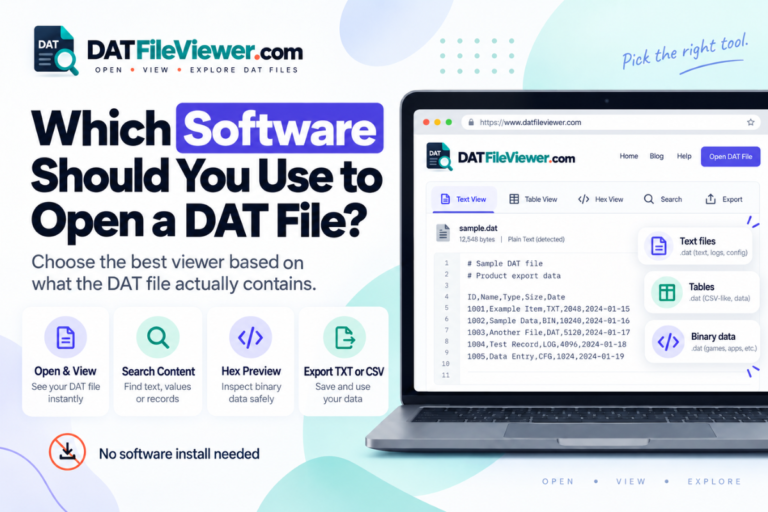
A browser-based DAT viewer can be useful because it lets you inspect the original file before renaming or converting anything.
Your DAT File Viewer can detect common comma, tab, semicolon, and pipe-separated data and show suitable files in table view.
This helps answer an important question before export: does the DAT file really contain clean table data?
CSV-Style DAT Files Often Have a Header Row
A header row names the columns.
For example:
order_id,customer,date,total
5011,Aisha,2026-09-10,45.90
5012,Daniel,2026-09-11,118.00
5013,Sofia,2026-09-12,24.50
From this sample, you can quickly identify four fields:
- order_id
- customer
- date
- total
Some DAT files do not include headers. In that case, you need context from the application or documentation to know what each position means.
How Quoted Fields Work
CSV-style data becomes more complicated when one value contains a comma.
Consider this example:
id,name,address
1001,Aisha,"24 Main Street, Karachi"
1002,Daniel,"18 King Road, Toronto"
1003,Sofia,"9 Central Avenue, Madrid"
A proper CSV parser understands the quotation marks and keeps the address together.
A simple tool that splits every line at every comma can break the data.
What If a Field Contains Quotation Marks?
CSV formats often escape quotation marks by doubling them inside a quoted field.
For example:
id,name,description
101,Widget,"Model ""Plus"" with adapter"
102,Keyboard,"Compact, wireless design"
This is another reason a CSV-aware tool is better than manually splitting the text.
How to Tell if the CSV-Style Data Is Consistent
Check several records before you trust the table.
Most rows contain the same number of fields.
Commas appear in predictable positions.
Quoted fields remain together when they contain commas.
The first row looks like headers or the field order can be identified.
Text encoding displays names and symbols correctly.
Common Problems When Reading CSV Data in DAT Files
Too many columns
A comma inside a field may not be quoted correctly, causing one value to split into several fields.
Too few columns
A missing comma may cause two values to run together in one field.
Broken characters
The text encoding may not match what your viewer expects.
Uneven rows
Some records may have optional fields, malformed data, or embedded delimiters.
What If the DAT File Uses Semicolons Instead of Commas?
Then it is not strictly comma-separated, but it can still be table-style text.
For example:
id;customer;total
1001;Aisha;44.50
1002;Daniel;99.00
DAT files commonly use commas, tabs, semicolons, or pipes.
Your viewer can detect these common delimiter styles, so check the table preview before deciding how to export the data.
CSV-Style DAT vs Other DAT Structures
| DAT structure | What it looks like | Best way to read it |
|---|---|---|
| CSV-style | Rows with comma-separated values | Table view or CSV parser |
| Tab-separated | Fields divided by tab characters | Table view with tab delimiter |
| Pipe-separated | Values divided by | |
Table view with pipe delimiter |
| Plain settings text | Key and value pairs | Text view |
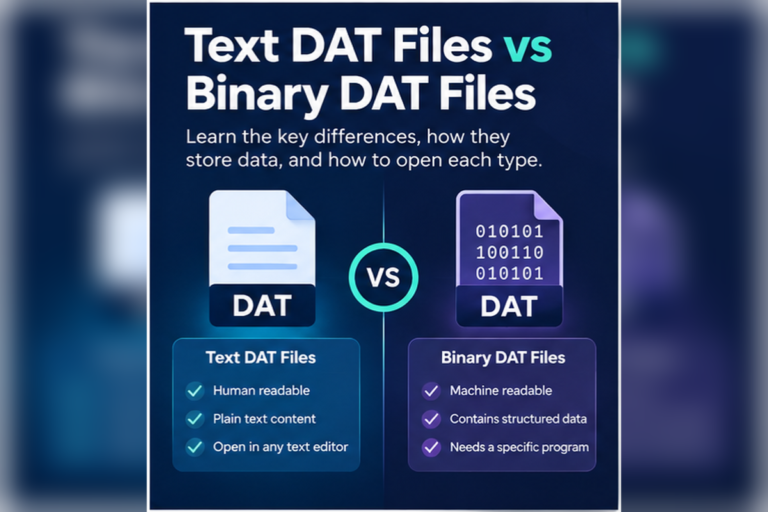
| Binary DAT | Mostly unreadable characters | Hex view or original application |
Can Excel Read CSV-Style Data Inside a DAT File?
Yes.
If the file contains valid comma-separated text, Excel can usually import it once you tell Excel to treat the file as delimited text.
You should still check data types carefully. Excel may automatically change:
- Dates
- Leading zeros
- Large numbers
- Scientific notation
- Text identifiers
For the full workflow, see Can You Open a DAT File With Excel?.
Can Google Sheets Read This Data?
Yes, once the DAT data has been placed into a supported text or CSV workflow.
Google Sheets is useful when the DAT file already contains clean tabular data. It is not a general DAT decoder, so inspect the file first and create a proper CSV export when appropriate.
See Can You Open DAT Files With Google Sheets? for more detail.
Should You Rename DAT to CSV?
Renaming is not conversion.
If this file:
customers.dat
already contains valid CSV-style text, changing the filename to:
customers.csv
does not change the contents. It only changes how programs may identify the file.
A better workflow is to inspect the DAT data and export or save a proper CSV copy while leaving the original DAT file untouched.
When CSV Export Makes Sense
Exporting to CSV is useful when:
- The DAT file contains clean rows
- The columns are understood
- The delimiter is known
- Quoted fields are handled correctly
- The data is text, not proprietary binary content
Your DAT viewer supports CSV export for suitable table-style data.
Why Some CSV-Style DAT Files Look Wrong in Notepad
Notepad can show the raw text, but it does not turn the data into a table.
You may see a long set of records such as:
1001,Aisha,Pakistan,Active
1002,Daniel,Canada,Active
1003,Sofia,Spain,Inactive
The data is still valid. It is just easier to understand in a table view.
If the content displays as strange characters instead of readable records, the file may use another encoding or may not be text at all.
See Can You Open a DAT File With Notepad? for text-editor behavior.
Can a Database DAT File Contain CSV-Style Records?
Yes.
A lightweight application may use comma-separated text as a simple record store. In that case, each line can represent one database record.
More advanced applications may use binary databases instead.
If your DAT file looks like structured records but you are unsure what it represents, read How to Read Database Records Stored in a DAT File.
What About Large CSV-Style DAT Files?
Large text DAT files can contain thousands or millions of rows.
Opening the whole file in a simple editor may be slow. It can also be difficult to confirm the delimiter by scrolling manually.
A viewer with preview limits and large-file protection can help you inspect enough of the content to understand the structure without trying to render everything at once.
Before importing a large file into a spreadsheet, confirm:
- The delimiter
- The header row
- The approximate number of columns
- The encoding
- Whether quoted fields are present
What If the Data Looks Almost Like CSV but Some Rows Break?
Do not assume the whole file is unusable.
Broken rows may result from:
- Missing quotation marks
- Unexpected commas
- Embedded line breaks
- Partial records
- Mixed delimiters
- Encoding problems
Compare a working row with a broken one. Count the fields and check where the parsing changes.
Best Workflow for Reading CSV-Style DAT Data
A reliable workflow is simple:
- Inspect the original DAT file.
- Confirm it contains readable text.
- Identify commas as the actual delimiter.
- Check several records for consistent field counts.
- Review quoted fields.
- Use table view to confirm the structure.
- Export a separate CSV file if you need spreadsheet access.
This avoids changing the original file before you understand it.
Need to Check CSV-Style Data Inside a DAT File?
Open the file, detect common delimiters, preview rows as a table, search the contents, and export suitable structured data to CSV.
Inspect Your DAT FileFrequently Asked Questions
Can a DAT file contain CSV data?
Yes. A DAT file can contain comma-separated text even though the filename does not end in CSV.
How do I know if a DAT file is CSV-style?
Look for readable rows with commas in consistent positions. A header row and repeated field counts are strong clues.
Can I open CSV-style DAT data in Excel?
Yes. Import the DAT file as delimited text and make sure comma is selected as the separator.
Can I convert a CSV-style DAT file to CSV?
Yes, if the records and quoting rules are understood. Export the data to a new CSV file rather than changing the original file blindly.
Why do some rows have too many columns?
A value may contain an unquoted comma, or the row may be malformed. Check the raw text around that record.
Why are commas inside quotation marks not treated as separators?
In CSV-style data, quoted fields can contain commas as part of the value. A proper CSV parser keeps those commas inside the same field.
Can a binary DAT file contain CSV data?
A binary DAT file may contain some readable strings, but true CSV-style records are normally text. If most of the file is binary, a simple CSV parser is unlikely to be appropriate.
Read the Data Structure, Not Just the DAT Extension
A DAT file can contain perfectly normal CSV-style records.
If you see readable rows, repeated commas, consistent field counts, and sensible headers, treat the file as structured text. Check quotation rules carefully, especially when values contain commas.
Once the structure is confirmed, table view makes the data easier to understand and a CSV export can make it easier to use in Excel or Google Sheets.
If the file does not contain readable rows, do not force it into CSV. It may be binary or use a completely different format.
You can open the DAT file online to inspect the original text, detect common delimiters, preview table-style records, and decide whether CSV export makes sense.