Can a DAT File Contain Audio?
Yes, a DAT file can contain audio. It may store a complete audio stream, several sound effects, music tracks, voice clips, raw sound samples, or audio that forms part of a larger multimedia file.
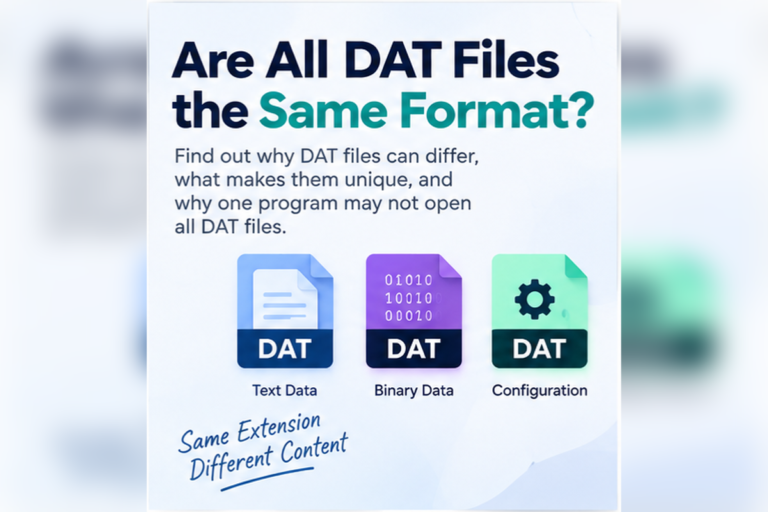
However, DAT is not one audio format. The same extension can also be used for text, database records, images, video, game resources, or application settings. You need to inspect the actual contents before deciding that a DAT file contains sound.
A DAT file can contain audio data, but the extension alone does not identify the audio format. Check the source of the file, search for sound-related strings, inspect binary signatures, and use the original application when the audio is stored in a proprietary resource format.
Why Would Audio Be Stored in a DAT File?
Applications do not have to store every sound as a separate MP3 or WAV file.
Software developers may put many resources into one larger DAT file. A game could store button sounds, character voices, background music, and environmental effects in the same resource container.
Other programs may use DAT files for recorded messages, cached audio, multimedia clips, sound libraries, or internal application resources.
The .dat extension is flexible because it generally means data rather than one exact format. If you want the broader explanation, read What Is a DAT File?.
Four Ways Audio Can Be Stored Inside a DAT File
A complete standard audio file
The DAT file may contain data that is internally a recognizable WAV, MP3, FLAC, Ogg, or another audio format.
Several embedded sounds
A resource container may store multiple sound effects, music tracks, or voice clips inside one DAT file.
Raw audio samples
Audio samples may be stored without the header information normally found in a WAV or another self-describing format.
Proprietary audio resources
The sound may use custom compression, encryption, indexing, or an application-specific codec.
How Do You Know If a DAT File Contains Audio?
Start with context.
A file stored inside a game’s sound folder has a better chance of containing audio than a file found inside a spreadsheet application’s configuration directory.
Look at:
- The folder where you found the file
- The filename
- Nearby files
- The application that created it
- Readable strings inside the file
- Binary signatures visible in hex
If you do not know the source, see How to Find Out What Created a DAT File.
Search for Audio-Related Words First
Readable strings can provide fast clues even when most of the DAT file is binary.
You might find:
music_menu
voice_intro
footstep_grass_01
button_click
ambient_rain
audio_stream
sample_rate
sound_effect
You may also find filenames such as:
theme.wav
intro.ogg
voice_001.mp3
ambient.flac
Be careful with the interpretation. These names may represent embedded files, or the DAT file may simply contain paths that point to external audio files.
Look for Common Audio Signatures in Hex View
Many standard audio formats contain recognizable signatures.
RIFF ... WAVE
ID3 or MPEG frame
OggS
fLaC
For example, a WAV file usually uses a RIFF structure and contains the ASCII text WAVE near the start.
00000000  52 49 46 46 84 32 01 00  57 41 56 45 66 6D 74 20
00000010  10 00 00 00 01 00 02 00  44 AC 00 00 10 B1 02 00
00000020  04 00 10 00 64 61 74 61  60 32 01 00 00 00 02 00
RIFF, WAVE, fmt, and data strongly suggest WAV-format audio.If those bytes appear at the very beginning of the DAT file, the file may contain one complete WAV stream saved with a DAT extension.
If they appear later in the file, the WAV audio may be embedded inside a larger DAT container.
A Signature Is a Clue, Not the Whole Answer
Finding an audio signature can be useful, but do not stop there.
A DAT resource file may contain several audio clips. It may also store metadata, indexes, images, or other binary resources before and after each sound.
A Practical Audio Detection Process
Identify the source application
Games, media tools, recording software, and multimedia applications are reasonable places to find audio DAT files.
Check whether the DAT file is binary
Audio data is normally binary. A file full of ordinary configuration text is unlikely to contain large audio streams directly.
Search for sound labels
Look for track names, sound-effect labels, codecs, filenames, or words such as audio, sound, music, voice, or stream.
Inspect file signatures
Use hex view to look for WAV, Ogg, FLAC, MP3, or application-specific format clues.
Try the appropriate software
A compatible media player may handle standard audio. Proprietary resources usually need the original application or a format-aware extractor.
Our DAT File Viewer can help with the inspection stage by showing readable text, search results, and hexadecimal data.
Can a DAT File Contain MP3 Audio?
Yes, it can.
A DAT file may contain an embedded MP3 stream or even a complete MP3 saved under a DAT filename.
Some MP3 files begin with an ID3 metadata block. In hexadecimal, the first bytes may correspond to the text:
ID3
Other MP3 streams may begin directly with MPEG audio frames rather than an ID3 tag.
Finding ID3 is useful evidence, but its absence does not prove there is no MP3 audio.
Can a DAT File Contain WAV Audio?
Yes.
WAV is relatively easy to recognize because standard WAV files normally contain RIFF and WAVE identifiers.
If a DAT file is internally a complete WAV file, a compatible audio player may be able to play it once it recognizes the content.
If the WAV stream is only one section of a larger DAT container, opening the whole DAT file as WAV will usually not work.
Can a DAT File Contain Ogg or FLAC Audio?
Yes. An application can place Ogg, FLAC, or other audio streams inside a DAT resource file.
Common clues include:
OggSfor Ogg container datafLaCfor FLAC- Readable codec names
- Track or resource filenames
Again, the audio may be a complete file or one embedded resource among many.
What If the DAT File Contains Raw Audio?
Raw audio is more difficult because it may not include enough metadata to explain how the samples should be played.
To interpret raw PCM-style audio, you may need several pieces of information.
Sample rate
For example, 44,100 or 48,000 samples per second.
Bit depth
For example, 8-bit, 16-bit, or 24-bit samples.
Channels
The data may represent mono, stereo, or another channel arrangement.
You may also need to know byte order, whether samples are signed or unsigned, and how channels are interleaved.
Why Games Often Store Audio in DAT Files
Games can contain thousands of sounds.
These may include:
- Music
- Voice dialogue
- Footsteps
- Weapons
- Menu sounds
- Ambient effects
- Vehicle sounds
- Cutscene audio
Keeping every resource as a separate loose file may not suit the game’s asset system. Developers may bundle resources into large containers and use an internal index to find each sound.
The index can record a sound’s offset, size, compression type, identifier, and other information.
Can One DAT File Contain Hundreds of Sounds?
Yes.
A simplified resource map might conceptually look like this:
0001  ui_click
0002  ui_cancel
0003  player_jump
0004  player_land
0005  enemy_alert
0006  ambient_wind
0007  music_level_01
0008  voice_intro_01
If the file contains many audio assets, simply dropping the entire DAT file into a music player may fail. The player sees the whole resource archive rather than one isolated audio stream.
Can a DAT File Contain Both Audio and Video?
Yes.
A multimedia DAT file can contain both. The classic Video CD case is a good example because VCD DAT files hold MPEG program-stream data that can include video and its accompanying audio.
An application-specific resource file can also contain separate video clips, audio tracks, images, and metadata.
For the video side of this topic, see Can a DAT File Contain Video?.
Can a DAT File Contain Images and Audio Together?
Yes. DAT containers can hold mixed resources.
A game asset file might contain textures and sounds. A multimedia application could store thumbnails, audio previews, and metadata together.
If you are investigating visual resources too, read Can a DAT File Contain Images?.
Can a Media Player Open an Audio DAT File?
Sometimes.
If the DAT file contains a supported standard audio stream, a capable media player may recognize and play it.
If playback fails, several explanations are possible:
- The file does not contain audio
- The audio starts later in a container
- The codec is unsupported
- The audio is compressed with a proprietary method
- The DAT file contains several resources
- The data requires an application-specific index
A failed media-player attempt does not prove that the DAT file contains no audio.
Should You Rename DAT to MP3 or WAV?
Renaming does not perform audio conversion.
Changing:
sound.dat
to:
sound.mp3
does not rewrite the bytes as MP3.
If the DAT file was already one complete MP3 stream, changing the extension may help some software associate it with a music player. The audio itself was already MP3 before the rename.
If the DAT file is a game resource archive or contains raw samples, changing the extension will not make it playable.
How Is Audio Different From a Text DAT File?
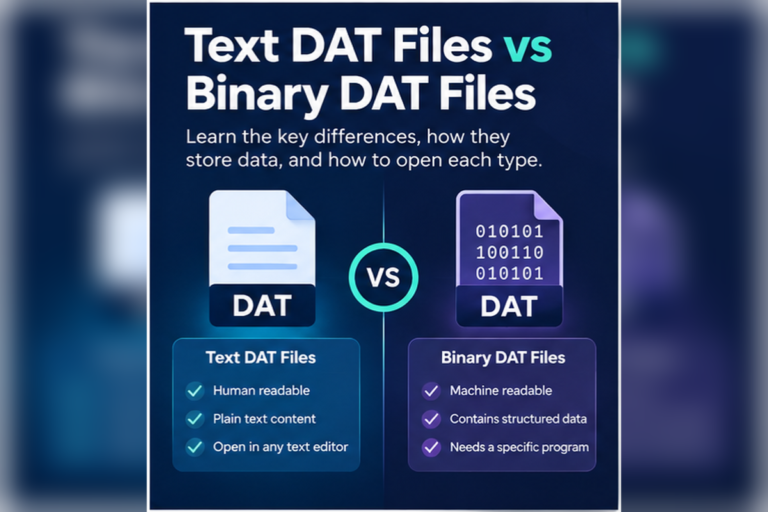
Audio is normally binary, while a text DAT file contains characters meant to be read directly.
If your file looks like this:
volume=80
music=true
sound_effects=true
voice_language=en
This distinction is important. References to sound do not prove that sound samples are embedded.
If you are unsure which type of DAT file you have, see How to Tell Whether a DAT File Is Text or Binary.
Can a Web Browser Play Audio Stored in a DAT File?
Not automatically.
Browsers can play supported web audio formats, but a generic DAT file does not identify which codec or container it uses.
A browser-based DAT viewer can still help you inspect the file. It can reveal readable resource names and raw bytes before you choose a media player or specialist tool.
For more detail about browser inspection, see Can a Web Browser Open DAT Files?.
Can You Extract Audio From a DAT File?
Sometimes.
Extraction is easiest when a standard audio file is stored as one complete block. If an identifiable WAV, Ogg, FLAC, or MP3 stream is embedded intact, a format-aware extraction tool may be able to recover it.
Extraction becomes harder when:
- Audio is split into chunks
- Several tracks share one index
- Samples are stored raw
- The data uses custom compression
- The resource is encrypted or obfuscated
- Metadata needed for playback is stored elsewhere
In those cases, the original program or a tool designed for that exact DAT format is the better choice.
Which Tool Should You Use?
| What you find | Best starting tool | Reason |
|---|---|---|
| Readable audio filenames | Text or DAT viewer | Search resource names and paths |
| WAV, Ogg, FLAC, or MP3 clues | Hex viewer | Check whether standard audio is embedded |
| One recognized audio stream | Compatible media player | It may already be playable |
| Many game sound resources | Format-specific software | It can understand the resource index |
| Unknown binary DAT file | DAT viewer first | Inspect before attempting conversion |
Use This Quick Decision Guide
Can a General DAT Viewer Play Every Audio File?
No.
A general DAT viewer is useful for finding out what kind of file you have. It can show text, searchable strings, and hexadecimal bytes.
Playing audio requires additional knowledge about the codec and container structure. A proprietary resource may need software specifically designed for that format.
This is similar to image data. A general viewer can reveal useful clues without automatically decoding every private media format.
Not Sure Whether Your DAT File Contains Audio?
Inspect readable strings, check whether the file is binary, and look for sound-related signatures before renaming or converting the file.
Open DAT File ViewerFrequently Asked Questions
Can a DAT file contain sound?
Yes. A DAT file can store sound effects, voice recordings, music, raw samples, or standard audio streams. The extension alone does not identify the audio format.
Can a DAT file contain MP3 audio?
Yes. MP3 audio can be embedded in a DAT file or stored as a complete stream under a DAT filename. You need to inspect the file to confirm it.
Can a DAT file contain WAV audio?
Yes. Look for a RIFF structure with a WAVE identifier. A complete WAV stream may be playable, while an embedded WAV may need to be extracted first.
Can I rename a DAT file to MP3?
You can rename it, but that does not convert the data. The file will only behave like an MP3 if it already contains compatible MP3 data.
Can one DAT file contain many sound effects?
Yes. Games and other applications can bundle hundreds or thousands of sounds inside one resource DAT file.
Why does an audio DAT file look like strange characters in Notepad?
Audio data is normally binary. A text editor tries to display those bytes as characters, which produces unreadable output.
Can a DAT file contain both audio and video?
Yes. Multimedia DAT files may contain both, either in one multiplexed media stream or as separate resources inside a larger container.
A DAT File Can Store Audio, but You Need to Identify the Structure
DAT files can contain music, sound effects, dialogue, raw samples, or standard audio streams. They can also contain no audio at all.
Start with the source of the file. Search for sound-related strings. Check binary data for recognizable format signatures. If the DAT file is a resource archive, identify the application that created it before attempting extraction.
Do not assume a DAT file becomes an MP3 or WAV just because you rename it. Proper playback and conversion depend on the actual audio format inside.
If you already have the file, you can inspect your DAT file online to compare text and hex views before deciding whether a media player or specialist extraction tool makes sense.