What Does the .DAT File Extension Mean?
The .DAT file extension usually means that a file contains data. It does not describe one fixed file format. A DAT file can contain text, table data, program settings, game resources, database records, media, or binary information.
This is why two files with the same .dat extension can behave very differently. The extension gives you a clue about the file’s purpose, but the contents and the program that created it matter much more.
settings is the filename. .dat is the file extension.
The .DAT extension generally means “data”. It is a generic extension used by many unrelated programs. It does not guarantee a specific structure, content type, or application.
What Is a File Extension?
A file extension is the part of a filename that appears after the final period. It often helps the operating system and applications identify what kind of file they are dealing with.
For example:
Some extensions are closely tied to a standard format. DAT is different because developers have used it as a broad label for application data.
Does DAT Stand for Data?
In most uses, yes. DAT is commonly understood as an abbreviation for data.
A developer may choose .dat when a program needs to store information but there is no need to expose a more descriptive extension to the user.
For example, software might create files such as:
settings.dat
users.dat
cache.dat
level01.dat
records.dat
resources.dat
history.dat
The filenames can provide useful hints. A file called settings.dat probably stores some type of configuration data. A file called level01.dat inside a game folder may contain information related to a game level.
These are clues, not guarantees. The actual contents still depend on the program that created the file.
What the .DAT Extension Tells You and What It Does Not
What it can tell you
- The file is probably being used to store some form of data.
- It may belong to a specific application or device.
- The filename and folder may provide clues about its purpose.
- You may need to inspect the contents to learn more.
What it cannot tell you
- Whether the file is text or binary.
- Whether it contains a database.
- Whether it contains media.
- Which program will definitely open it.
- Whether the file is damaged or healthy.
This distinction is important. The extension is only one piece of information about a file.
Why Is .DAT Considered a Generic File Extension?
DAT is called generic because many unrelated programs can use it for different purposes.
There is no rule requiring every DAT file to follow the same structure. One developer may store readable settings in a DAT file. Another may use DAT for a binary database. A game may use it for resources. A device may use it for internal records.
Compare that with formats that have a more defined purpose:
| Extension | Typical meaning | Standardized purpose? | Easy to identify by extension? |
|---|---|---|---|
.txt |
Plain text | Generally yes | Usually |
.jpg |
JPEG image | Yes | Usually |
.csv |
Delimited text data | Generally understood | Usually |
.mp4 |
Media container | Yes | Usually |
.dat |
General application data | No single universal structure | No |
This is also why there is no universal DAT file reader that can fully understand every possible DAT file.
Can a DAT File Contain Plain Text?
Yes. Some DAT files are ordinary text files with a different extension.
A text-based DAT file could look like this:
language=en
theme=dark
autosave=true
font_size=14
recent_files=5
You could read this file with a text editor because the underlying content is text.
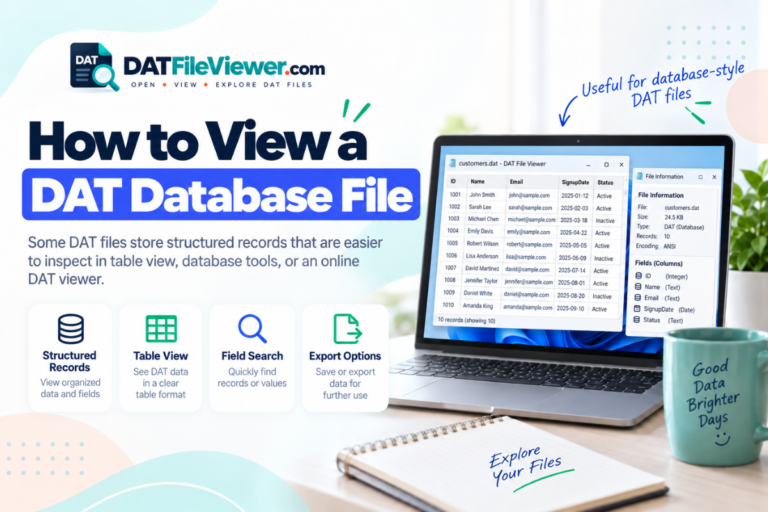
Other DAT files may contain table-style data:
id;name;country;status
1001;Sophia;Canada;Active
1002;Daniel;Spain;Active
1003;Amir;Pakistan;Inactive
This example uses semicolons as delimiters. A DAT viewer or spreadsheet application may be able to interpret it as rows and columns.
Can the .DAT Extension Mean Binary Data?
Yes. Many DAT files are binary.
Binary files are designed for software to interpret. They may contain numbers, indexes, compressed resources, encoded records, media information, or application-specific structures.
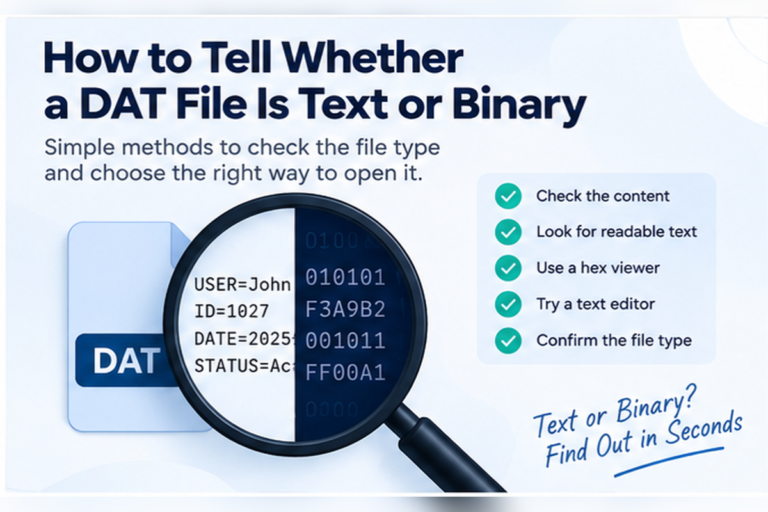
When opened as normal text, a binary DAT file may show unreadable characters.
Our DAT File Viewer includes a hexadecimal view for this reason. It lets you inspect binary data without assuming the file should be readable as text.
Does a .DAT Extension Mean the File Is a Database?
No. A DAT file can contain database-style records, but the extension does not automatically mean database.
Some software does use DAT files for structured records. Other programs use the same extension for settings, caches, game assets, media, or temporary information.
If you find repeated records or rows inside the file, it may contain structured data. If the structure is proprietary, you may need the application that created it to understand the fields correctly.
Does a .DAT Extension Mean Video?
Not by itself.
Some older media systems and video formats have used DAT files. This has led to the common idea that DAT files are video files.
That is only true for certain DAT files.
A random .dat file should not be treated as video just because another DAT file opened successfully in a media player. The same extension can be used for completely unrelated data.
How Can Two .DAT Files Be Completely Different?
Consider these examples:
| Filename | Possible source | Possible contents | Useful tool |
|---|---|---|---|
settings.dat |
Desktop application | Readable configuration text | Text editor |
players.dat |
Game | Binary player records | Original game or hex viewer |
sales.dat |
Business software | Delimited table data | DAT viewer or spreadsheet |
cache.dat |
Application | Internal cached data | Usually the original application |
All four files use the same extension, but their contents and suitable software can be very different.
Should You Change the .DAT Extension?
Changing the extension does not change the actual file format.
If you rename:
records.dat

to

records.csv
you have changed the filename, not the data stored inside it.
If records.dat already contains valid CSV-style text, the renamed file may open more conveniently in a spreadsheet program. That does not mean the rename converted the data.
.dat to .txt, .csv, .jpg, or another extension does not rewrite the underlying file.
How Do You Find Out What a .DAT File Really Is?
If the extension itself does not give enough information, use the file’s context and contents.
Check the source. Find out which application, device, email, or download produced the file.
Read the filename. Names such as settings.dat or video.dat can provide useful clues.
Inspect the text. Look for readable names, paths, labels, dates, URLs, or configuration values.
Look for delimiters. Repeated commas, tabs, semicolons, or pipes may indicate structured table data.
Use hex for binary content. Raw bytes and embedded strings may reveal useful clues.
Use the original application. Proprietary DAT formats may only be fully understood by the software that created them.
If the file came from an unknown source, follow normal file-safety precautions. Our guide to opening an unknown DAT file safely explains what to check before experimenting with it.
Does Windows Use the Extension to Choose a Program?
Windows can associate filename extensions with applications. If an extension has an existing association, double-clicking a file may launch that program.
The difficulty with DAT files is that one application cannot necessarily understand DAT files created by another application.
This means a program association may be convenient, but it does not prove that the chosen application is correct for the file.
For practical instructions, see our guides for opening DAT files on Windows 11 and opening DAT files on Windows 10.
What Does .DAT Mean on Mac, Android, iPhone, and Linux?
The meaning does not change across operating systems. The extension still indicates a general data file.
What changes is the software available to inspect it.
Mac users can follow our DAT file guide for macOS. Mobile users can see our instructions for Android and iPhone or iPad. Linux users can use our guide to opening DAT files on Linux.
If you do not want to install another application just to identify the contents, see how to open a DAT file without installing software.
.dat as a clue, not a complete description. Check where the file came from and inspect its contents before deciding which software to use.
Not Sure What Your .DAT File Contains?
Inspect readable text, table-style data, and hexadecimal content directly in your browser before choosing another program.
Inspect Your DAT FileFrequently Asked Questions
What does the .DAT file extension stand for?
DAT generally stands for data. It is commonly used as a generic extension for files that store information used by software.
Is .DAT one specific file format?
No. DAT is used by many unrelated applications. Two DAT files may have completely different internal structures.
Can a DAT file be opened as text?
Yes, if it contains text. Some DAT files are plain text or structured text. Binary DAT files may not display correctly in a normal text editor.
Why does my DAT file show strange symbols?
The file may contain binary data or use a different text encoding. Strange symbols alone do not mean the file is damaged.
Is a DAT file the same as a CSV file?
No. Some DAT files contain CSV-style data, but DAT itself does not define a delimiter or table structure. A DAT file can contain many other kinds of information.
Can I change .DAT to .TXT?
You can rename the extension, but that does not convert the file. If the original file contains readable text, a text editor may open it regardless of whether the filename ends in DAT or TXT.
How do I know which program created a DAT file?
Check the file’s folder, source, filename, readable strings, and other files stored beside it. If the file came from a known program, that application is often the best place to start.
The Meaning of .DAT Comes From Context
The .DAT extension usually means that a file stores data, but that is only the starting point.
It does not tell you whether the data is text, binary, tabular, media, or proprietary. It also does not identify one program that can correctly open every DAT file.
Use the filename, folder, source application, and file contents together. If the file contains readable text, a text editor may be enough. If you see repeated rows and delimiters, spreadsheet software may help. If the file is binary, inspect it in hexadecimal. Proprietary files often need the original application.
If you need a broader introduction to the format, read What Is a DAT File?. If you already have a file and simply want to inspect it, you can open the DAT file online.