What Program Opens DAT Files? Best Programs for Different DAT File Types
There is no single program that opens every DAT file. A .DAT file is a generic data file, so the right program depends on what is stored inside it and which application created it.
Some DAT files contain ordinary text. Others hold rows of structured data, application settings, game resources, video, database records, or binary information that only the original software understands.
Quick answer: Start with a DAT viewer or text editor if you only need to inspect the file. Use a spreadsheet program for clearly delimited tables. Use a hex viewer for binary data. If the file belongs to a specific application, the program that created it is often the best choice.
If you do not know what created the file, do not start by randomly changing its extension. Instead, inspect its contents first. You can use our DAT File Viewer to check readable text, table-like data, and hexadecimal content directly in your browser.
Which Program Should You Use for a DAT File?
The fastest way to choose a program is to look at what the file appears to contain.
Use a text editor
Notepad, Notepad++, Visual Studio Code, TextEdit, and similar editors work well when the DAT file contains plain text.
Use a spreadsheet tool
Excel or another spreadsheet application may work when the file contains comma, tab, semicolon, or pipe-separated values.
Use a DAT or hex viewer
A viewer can reveal readable strings, file structure, separators, signatures, and raw hexadecimal bytes without changing the file.
Use the original software
Proprietary DAT files may only make sense when opened by the program, device, or game that created them.
Programs That Can Open DAT Files
| Program type | Best for | What to expect |
|---|---|---|
| Online DAT viewer | Unknown DAT files | Useful for inspecting text, tables, and binary or hex content before choosing another program. |
| Notepad or other text editor | Plain-text DAT files | Works when the file contains readable text, configuration values, logs, or simple data. |
| Notepad++ or VS Code | Larger text files and structured text | Provides better search, line handling, encoding support, and readability than basic Notepad. |
| Microsoft Excel | Delimited tabular data | Can be useful when values are separated by commas, tabs, semicolons, or other consistent delimiters. |
| Hex editor or hex viewer | Binary DAT files | Shows the raw bytes even when most content is not readable as text. |
| Original application | Proprietary DAT formats | Often required when the data uses a private structure that another program cannot interpret. |
Can Notepad Open a DAT File?
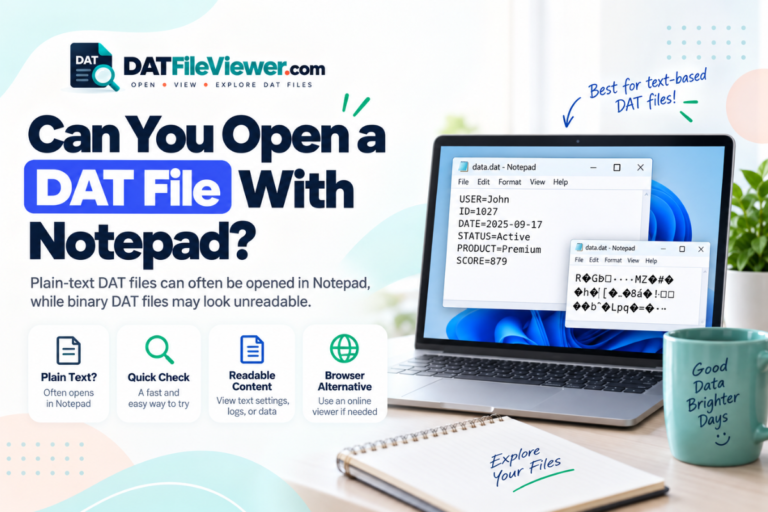
Yes, Notepad can open many DAT files, but opening a file is not the same as understanding it.
If the DAT file contains plain text, Notepad may show useful information immediately. You might see settings, names, dates, messages, paths, logs, or rows of data.
A text-based DAT file might look like this:
username=alex
language=en
autosave=true
refresh_interval=30
last_opened=2026-09-15
That file is easy to inspect in almost any text editor.
If you see random symbols, boxes, or unreadable characters, the file may be binary. That does not automatically mean the file is damaged. It may simply store information in a format that is not designed to be displayed as text.
Windows users who want a simple approach can also read our guides for opening DAT files on Windows 11 and opening DAT files on Windows 10.
Can Microsoft Excel Open DAT Files?
Excel can help when a DAT file contains structured text that resembles a CSV or other delimited table.
For example, a DAT file could contain:
id,name,country,status
1001,Sam,Canada,Active
1002,Maria,Spain,Active
1003,John,Australia,Inactive
Although the extension is .dat, the contents are arranged like CSV data. A spreadsheet application may be able to import it by treating commas as column separators.
DAT files can also use tabs, semicolons, or pipes:
SKU|Product|Stock|Price
A104|Keyboard|38|29.95
A105|Mouse|72|18.50
A106|Monitor|14|189.00
In this case, the pipe character separates each field. The file extension alone does not tell Excel how the data is organized. You need to choose the correct delimiter during import.
What Program Opens a Binary DAT File?
A text editor is usually not useful for a truly binary DAT file. Instead, use a hex viewer, DAT viewer, or the original application.
A hexadecimal view represents each byte with values from 00 to FF. It may look something like this:
00000000  44 41 54 01 00 20 00 00  7A 18 FF 32 00 00 01 A4
00000010  10 00 2B 8F 90 11 04 00  52 45 43 4F 52 44 00 08
00000020  91 02 A7 3F 00 00 00 1C  22 18 04 B1 09 00 7F 31
You may still find readable strings inside a binary file. These can offer clues about the software, game, database, or device that produced it.
This is why a hex view is useful for unknown files. It lets you inspect raw data without assuming that the file should contain readable text.
When You Need the Original Program
Many applications use the DAT extension for their own private data structures. In those cases, a general viewer can inspect the bytes, but it may not be able to interpret the actual records.
For example, a program may store internal indexes, game resources, cached information, or application databases in a DAT file. Another program might open the file but have no idea what the fields mean.
The original application is usually the best choice when:
- The DAT file appears inside a specific program’s installation or data folder.
- The file was created by a game, specialist device, accounting program, or business application.
- The contents are binary and do not follow an obvious public format.
- Changing the file could stop the original software from working correctly.
If you received the file without any context, use the steps in our guide to open an unknown DAT file safely before experimenting with different applications.
How to Choose the Right Program Step by Step
Check where the DAT file came from.
Look at the email, folder, application, device, or download that produced it. Context often tells you more than the extension.
Inspect the contents without editing the file.
Use a viewer to see whether the file contains readable text, rows of structured data, or mostly binary bytes.
Try a text editor for readable content.
If the file displays normally, you may not need specialist software at all.
Look for a repeating delimiter.
Commas, tabs, semicolons, or pipe symbols can indicate that a spreadsheet program may be useful.
Use a hex view for binary files.
Look for readable strings or recognizable headers that may identify the file’s source.
Return to the original software when needed.
If the file uses a proprietary format, a general-purpose program may never display it correctly.
Should You Rename a DAT File Before Opening It?
Usually, no.
Changing records.dat to records.csv does not convert the underlying data into CSV. It only changes the filename.
If the DAT file already contains valid CSV-style text, renaming it may make some programs associate the file with a spreadsheet application. The underlying content has not changed.
What If You Do Not Want to Install a Program?
You do not always need desktop software just to inspect a DAT file.
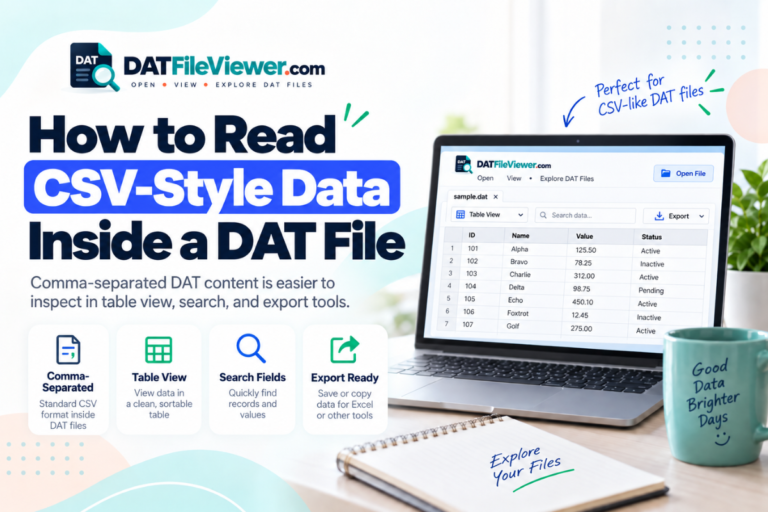
A browser-based viewer can be useful when your goal is to find out what the file contains before deciding what to do next. Our DAT viewer can display text, detect common table delimiters, provide a table view when suitable, search the visible data, and show binary information in hexadecimal form.
The selected DAT file is processed in your browser rather than being sent through a WordPress file upload endpoint. If this workflow suits you, see our full guide to opening a DAT file without installing software.
Not Sure Which Program Your DAT File Needs?
Inspect the file first. Check for readable text, structured rows, or binary data before choosing another application.
Inspect Your DAT FileWhat About DAT Files on Mac, Android, iPhone, and Linux?
The same basic rule applies on every operating system. The correct app depends on the file’s contents, not simply on the .dat extension.
On macOS, text-based DAT files can often be inspected with a text editor. Linux users can use graphical editors, command-line utilities, or hexadecimal tools. On Android and iOS, available apps are more limited, so browser-based inspection can be convenient when you only need to see what is inside the file.
For platform-specific instructions, see our guides for opening DAT files on Mac, opening DAT files on Android, opening DAT files on iPhone or iPad, and opening DAT files on Linux.
Frequently Asked Questions
What is the best program to open a DAT file?
There is no single best program for every DAT file. A DAT viewer is useful for initial inspection. Text editors work for text-based files, spreadsheet software can handle some delimited data, and proprietary files may require the application that created them.
Can Windows open DAT files?
Yes. Windows can open many DAT files with programs such as Notepad or other compatible applications. The correct program depends on what the file contains.
Can Notepad++ open DAT files?
Yes. Notepad++ can open a DAT file as text and is often more convenient than basic Notepad for large files, searching, line numbers, and encoding inspection. Binary files may still appear unreadable.
Can Excel open a DAT file?
Sometimes. Excel is useful when the DAT file contains text arranged as rows and columns with a consistent delimiter such as a comma, tab, semicolon, or pipe. It will not automatically decode an unrelated binary DAT format.
Why does my DAT file show strange characters?
The file may contain binary data, use a different text encoding, or store information in a proprietary structure. Strange characters do not automatically mean the DAT file is corrupted.
Can VLC open DAT files?
VLC may open some DAT files that contain compatible video or media data. However, many DAT files contain no media at all. The DAT extension alone does not prove that a file is a video.
Do I need special DAT file software?
Not always. A plain-text DAT file may open in a normal text editor. A structured text file may work with a spreadsheet application. Specialist software is mainly needed when the format is binary, proprietary, or tied to a specific application.
The Key Point
A DAT file does not identify one specific file format. It only tells you that the creator chose the .dat extension for data.
Start by identifying what is inside the file. Use a text editor for readable text, a spreadsheet program for clear delimited tables, a hex viewer for binary content, and the original application for proprietary data. If you are unsure where to begin, open the DAT file online and inspect its contents before choosing another program.