How to Read Database Records Stored in a DAT File
To read database records stored in a DAT file, first identify how the records are structured. Some DAT files store rows as readable text. Others store records in binary form that only the original application can decode correctly.
The .dat extension does not define one database format. That means you cannot assume every DAT file has the same fields, record length, separators, or data types.
Read the structure before reading the records. If the DAT file contains text rows with consistent separators, the records may be easy to inspect. If it contains binary data, you may need a hex view, documentation, or the program that created the file.
What Does a Database Record Look Like Inside a DAT File?
A database record is a group of related fields that describe one item, person, transaction, event, or other entity.
A simple customer record might contain:
ID
A unique number such as 1001.
Name
A value such as Aisha Khan.
Status
A field such as Active.
Date
A stored date or timestamp.
How those fields appear in the DAT file depends entirely on the format used by the application.
Text-Based DAT Records Are the Easiest to Read
Some database DAT files store one record per line and use a delimiter between fields.
customer_id|name|status|created
1001|Aisha Khan|Active|2026-09-10
1002|Daniel Smith|Active|2026-09-11
1003|Sofia Chen|Inactive|2026-09-12
This structure is straightforward. You can identify the columns, split each row at the pipe characters, and read each record as a set of values.
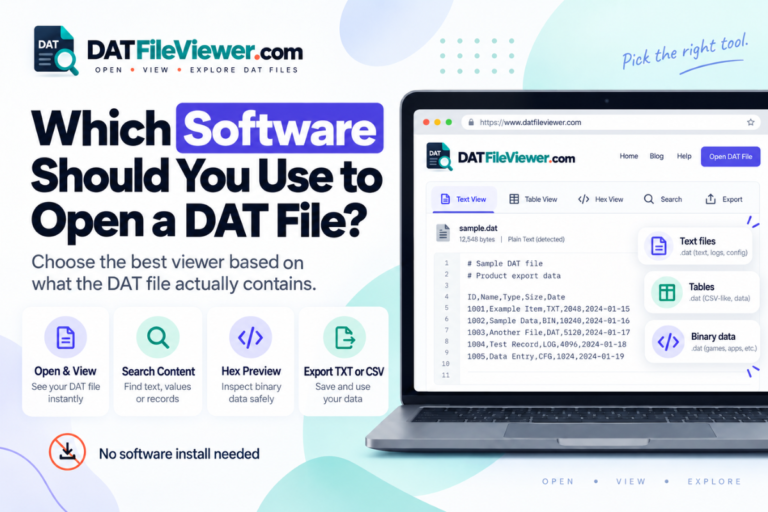
Our DAT File Viewer can detect common pipe, comma, tab, and semicolon-separated data and show suitable files as tables.
How to Read Text Database Records Step by Step
Open the DAT file in a text or table view
Check whether most of the content is readable and whether the records follow a repeating pattern.
Find the field separator
Look for commas, tabs, semicolons, pipes, or another character that appears between values on each line.
Look for a header row
A first line such as id|name|status can tell you what each position represents.
Compare several records
Check that the same number of fields appears in the same order across multiple rows.
Search for known values
If you know a customer name, record ID, date, or code, search for it to confirm how records are stored.
Export only when the structure is clear
Once the rows and fields are understood, you can export suitable data to CSV for further analysis.
How to Recognize a Record Boundary
Before reading records, you need to know where one record ends and the next begins.
In text DAT files, record boundaries are often easy to recognize because each record appears on its own line.
5011,Aisha,45.90
5012,Daniel,118.00
5013,Sofia,24.50
Binary formats can be more complicated. Records may use a fixed byte length, internal length values, markers, indexes, or pointers.
Without the format definition, it may be difficult to know where each binary record begins and ends.
Common Clues That a DAT File Contains Database Records
Repeated row structure
Each line contains a similar number of values arranged in the same order.
Sequential identifiers
Values such as 1001, 1002, and 1003 may indicate record IDs or primary keys.
Field headings
Names such as customer_id, date, or status suggest structured records.
Consistent delimiters
The same separator appears between fields across many lines.
If you are not yet sure whether the DAT file is actually a database, start with How to View a DAT Database File.
Reading Comma-Separated DAT Records
A DAT file can contain CSV-style data without using the .csv extension.
sku,product,stock,price
A101,Keyboard,28,29.95
A102,Mouse,54,18.50
A103,Monitor,11,189.00
Each comma marks the boundary between fields. The newline separates records.
This kind of file can often be viewed as a table and exported to CSV.
Reading Tab, Semicolon, and Pipe-Separated Records
Commas are not the only possible separator.
| Separator | Example | Common clue |
|---|---|---|
| Comma | 1001,Aisha,Active |
CSV-style data |
| Tab | 1001 Aisha Active |
Columns may look aligned in some editors |
| Semicolon | 1001;Aisha;Active |
Often used where commas appear inside values |
| Pipe | 1001|Aisha|Active |
Easy to recognize visually |
Your DAT viewer already supports detection of all four of these common structures.
What If a Field Contains the Separator Character?
Structured text formats often use quoting rules when a field contains the same character used as the delimiter.
For example:
id,name,address
1001,Aisha,"24 Main Street, Karachi"
1002,Daniel,"18 King Road, Toronto"
This matters during conversion. A basic find-and-replace operation can break records if it ignores quoted fields.
Text Records vs Binary Records
- Often readable immediately
- May have headers
- Often use delimiters
- Easy to search
- May be exportable to CSV
- Usually not readable as plain text
- May use fixed byte layouts
- Can include indexes or pointers
- Better inspected in hex
- May require original software
If you need help separating these two cases, read Text DAT Files vs Binary DAT Files.
How Binary Database Records Are Stored
A binary DAT database may store several fields inside a fixed or variable byte structure.
A simplified example could look like this:
00000000  01 00 00 00 41 69 73 68  61 00 00 00 01 00 00 00
00000010  02 00 00 00 44 61 6E 69  65 6C 00 00 01 00 00 00
00000020  03 00 00 00 53 6F 66 69  61 00 00 00 00 00 00 00
You might guess that the first four bytes contain an ID, but guessing is not enough if you need accurate data.
The original software may know the exact byte order, field length, encoding, record flags, and index structure.
How to Read Binary DAT Records Safely
Use a hex viewer for inspection, but avoid editing the bytes unless you understand the format.
Look for:
- Repeated byte patterns
- Readable labels
- Sequential values
- Fixed record lengths
- Known IDs
- Dates or timestamps you can verify
- Application names or paths
These clues can help identify the structure, but they are not a replacement for documentation.
If the format is proprietary, the safest route is to identify the software that created the file. See How to Find Out What Created a DAT File.
Can Notepad Read DAT Database Records?
Notepad can read records when they are stored as ordinary text.
It is useful for checking:
- Headers
- Delimiters
- Record IDs
- Names
- Dates
- Plain configuration values
Notepad is not suitable for understanding a private binary database format.
For more detail, see Can You Open a DAT File With Notepad?.
Can Excel Read Records From a DAT File?
Excel can work well when the DAT records are stored as delimited text.
Import the data and select the correct separator. Then check that the rows and columns line up correctly.
Be careful with identifiers. Excel may remove leading zeros or convert some values to dates.
See Can You Open a DAT File With Excel? for the full import workflow.
Can Google Sheets Read DAT Records?
Google Sheets can work with structured text after the records are converted or exported into a supported spreadsheet-friendly format.
It is not a general binary DAT decoder.
If the file already contains clean rows and columns, exporting to CSV is usually the easiest path.
How to Search for a Specific Record
If you know one value from the record, search can save time.
Useful search values include:
- A customer ID
- A username
- An email address
- A date
- A product SKU
- A transaction number
If the DAT file is text-based, search may take you directly to the matching record.
If the file is binary, a text search may still find embedded strings, but numeric values can be encoded in a way that does not appear as normal digits.
Can You Export DAT Database Records to CSV?
Yes, if you can identify the records and fields correctly.
A CSV export makes sense when:
- Each record maps cleanly to one row
- The fields are known
- The delimiter rules are understood
- Text encoding is handled correctly
For proprietary binary databases, export should usually be done through software that understands the original format.
Why Some DAT Database Records Look Corrupted
Strange output does not always mean corruption.
The file may:
- Be binary
- Use a different text encoding
- Contain compressed sections
- Store fixed-length fields
- Reference data in another file
You need more evidence before deciding the file is damaged.
When You Should Use the Original Application
Use the original software when you need accurate access to a proprietary database.
This is especially important when:
- Records are binary
- The application uses indexes
- Fields have undocumented byte layouts
- Data is compressed or encoded
- You need to edit or restore records
A general viewer is useful for inspection. It cannot always replace the software that understands the database schema.
Need to Inspect Records Inside a DAT File?
Check whether the file contains readable rows, common delimiters, searchable text, or binary data before choosing a spreadsheet or database tool.
Inspect Your DAT FileFrequently Asked Questions
How do I read records from a DAT file?
Open the file and identify whether the records are text or binary. Text records can often be split using delimiters. Binary records may require a hex viewer or the original application.
How do I know where one DAT record ends?
Text records often end at a newline. Binary records may use fixed lengths, internal markers, indexes, or size fields defined by the application.
Can a DAT database use commas like CSV?
Yes. Some DAT files contain CSV-style records even though the filename ends in DAT.
Can I read binary DAT records in a text editor?
You may see a few readable strings, but a text editor cannot reliably interpret the binary record structure.
Can I export DAT records to Excel?
Yes, when the records can be converted into rows and columns. Delimited text DAT files are the easiest case.
Why do some DAT records show strange characters?
The file may contain binary data or use an unexpected text encoding. Strange characters alone do not prove corruption.
Can I edit DAT database records directly?
Only if you understand the format. Direct edits can break record lengths, indexes, references, or other structures used by the original software.
Read the Structure Before You Trust the Records
The key to reading database records stored in a DAT file is understanding how the file separates and describes those records.
For text-based DAT files, look for headers, repeated rows, field separators, and predictable columns. For binary files, use hexadecimal inspection and look for patterns, but do not assume you know the schema from a few readable strings.
When the format is proprietary, the original software may be the only reliable way to decode every field correctly.
If you have a file ready to inspect, you can open the DAT file online and check text, table, search, and hex views before deciding what to do next.